How to Set Up URL Redirection in Transtore
URL Redirection in Transtore helps make sure visitors always land on the right page for their market. Whether a customer enters your store from a specific country or clicks on an outdated link, Transtore can redirect them to the correct localized URL or a valid page instead of showing a 404 error.
This helps avoid broken links, keeps customers on your store, and ensures they see the right content and promotions for their market.
I. Market Redirects
Market Redirects allow you to send customers to the appropriate store version based on their market location. This ensures visitors always land on the correct domain or URL structure for their region.
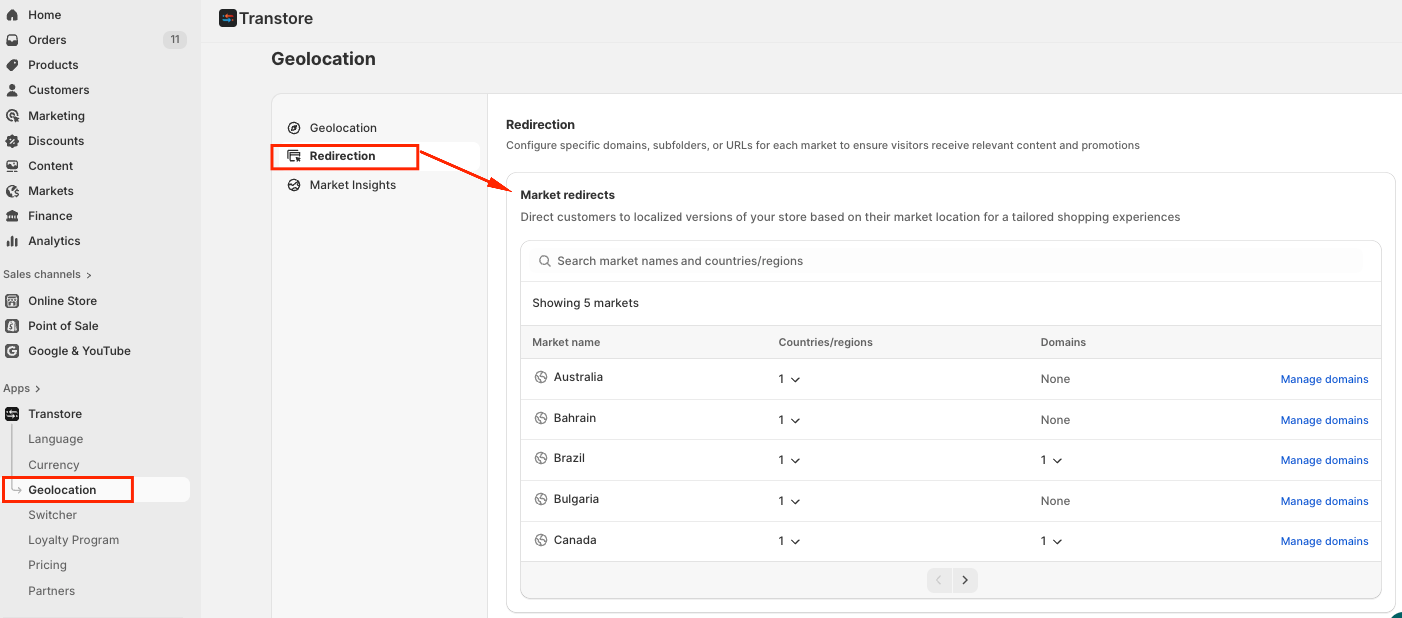
Transtore supports two ways to assign URLs to markets:
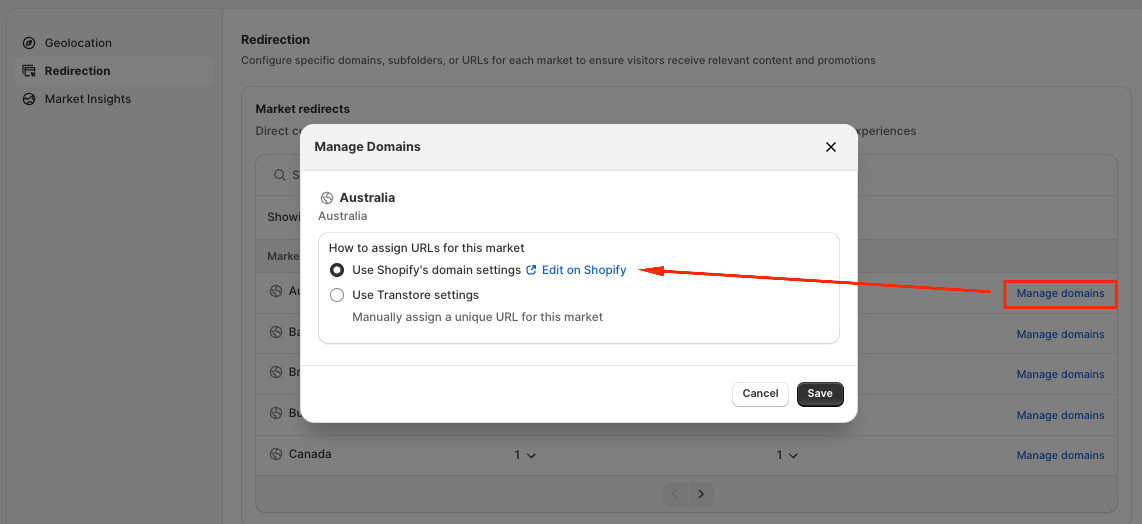
1. Use Shopify’s Domain Settings
This option follows the configuration set in Shopify Markets. Transtore will automatically apply the domains, subdomains, or subfolders you’ve assigned in Shopify.
This is recommended if you already manage market URLs directly in Shopify.
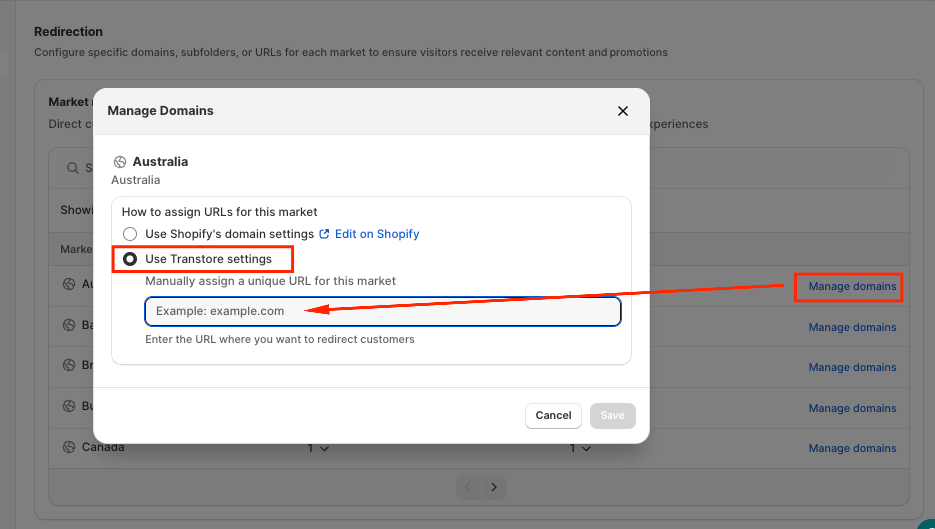
2. Use Transtore Settings
You can also manually assign a unique URL to each market directly within the Transtore app.
This option gives you more flexibility if you want to control market URLs independently from Shopify’s domain settings.
II. Automatic Redirects
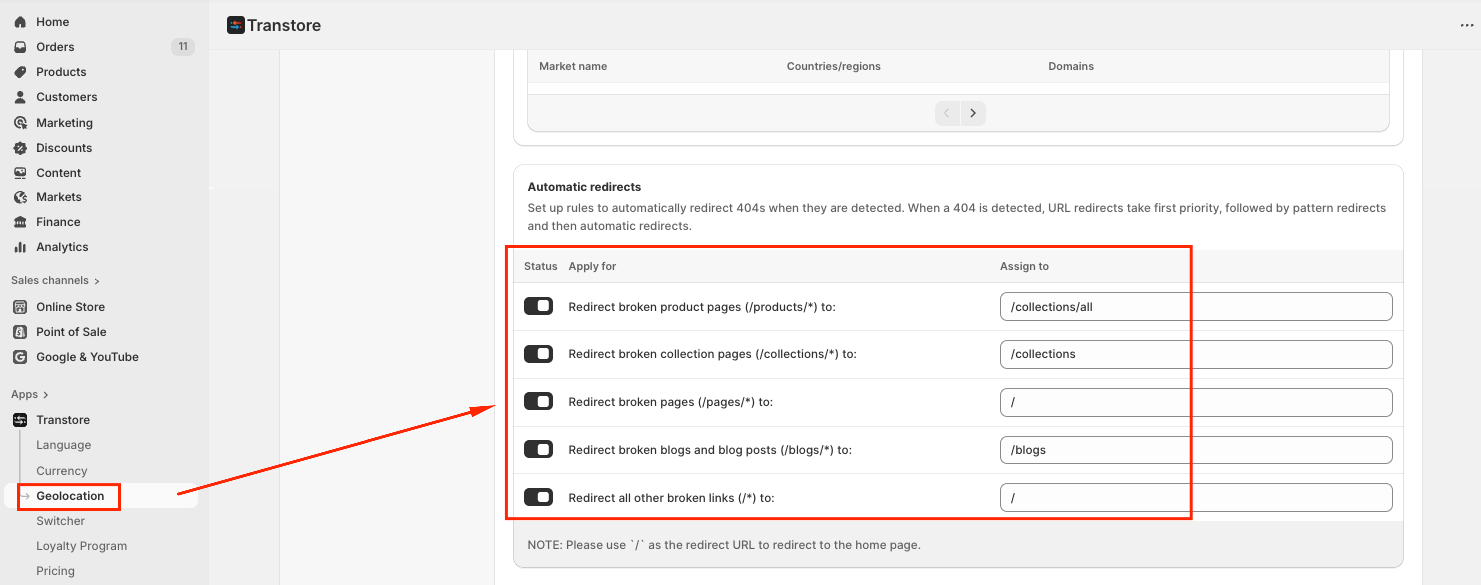
Automatic redirects help prevent broken links by redirecting visitors when a 404 error is detected.
When a 404 occurs, Transtore applies redirects in the following priority order:
- URL redirects
- Pattern redirects
- Automatic redirects
You can define default destinations for common broken URL patterns:
If you need further guidance or have any questions, don't hesitate to reach out to our support team via email at [email protected]. We'd be happy to help!