Add/Edit Title and Meta Description
1. Meta title and meta description for a page
- From your Shopify admin, go to Online Store > Pages.
- Click a page that you want to edit.
- In the Search engine listing section, click Edit website SEO.
- In the Page title field, enter a descriptive title. This title is displayed as a link in search engine results.
- In the Meta Description field, enter a description for the search engine listing.
- Click Save.
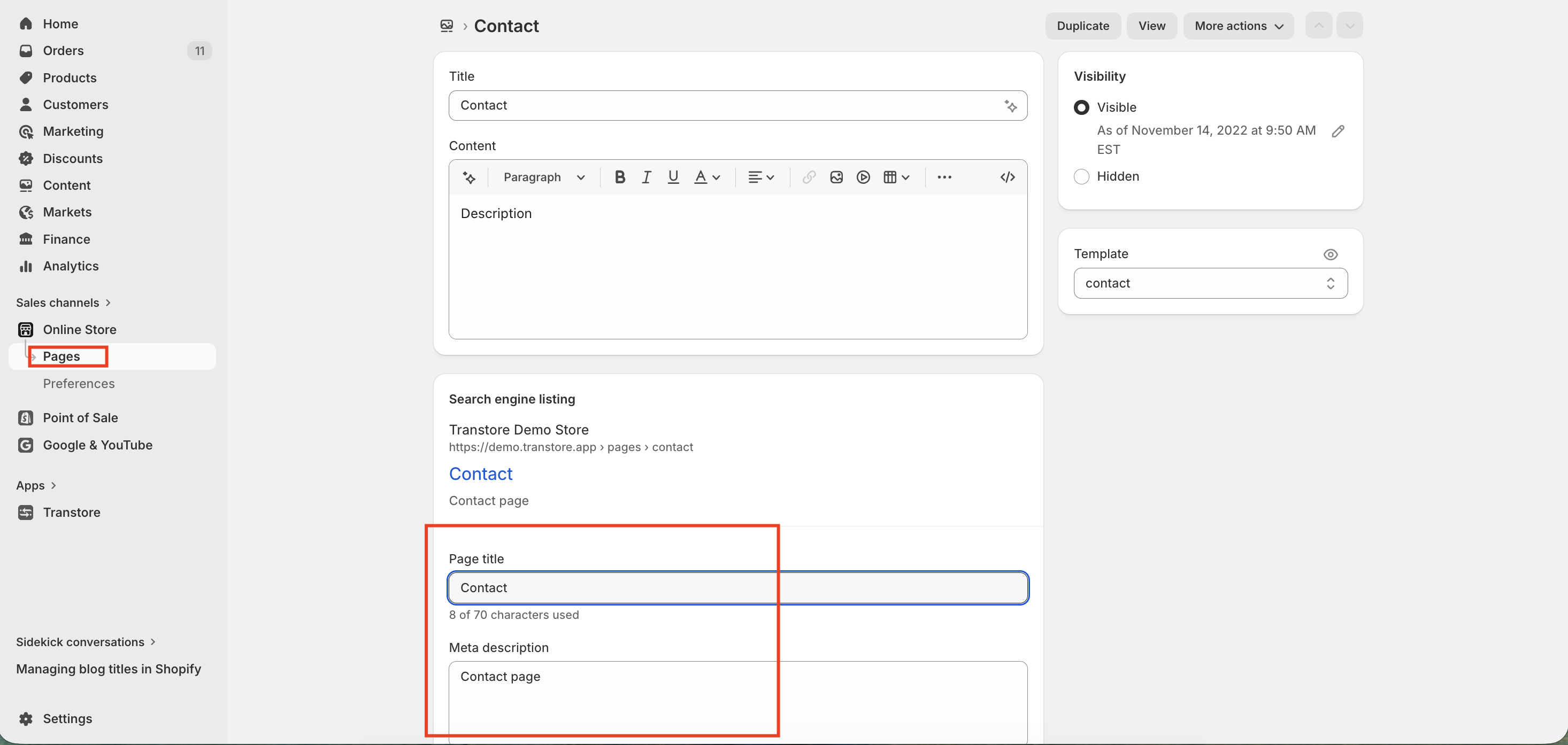
- After updating the Page title and meta description in Shopify, the content will automatically sync to Transtore. You can find and translate it by navigating to: Transtore => Language => [Language] => Online store => Pages
2. Meta title and meta description for a product
- From your Shopify admin, go to Products.
- Click the product that you want to edit.
- In the Search engine listing section, click Edit website SEO.
- In the Page title field, enter a descriptive title for the product. This title is displayed as a link in search engine results.
- In the Meta Description field, enter a description for the search engine listing.
- Click Save.
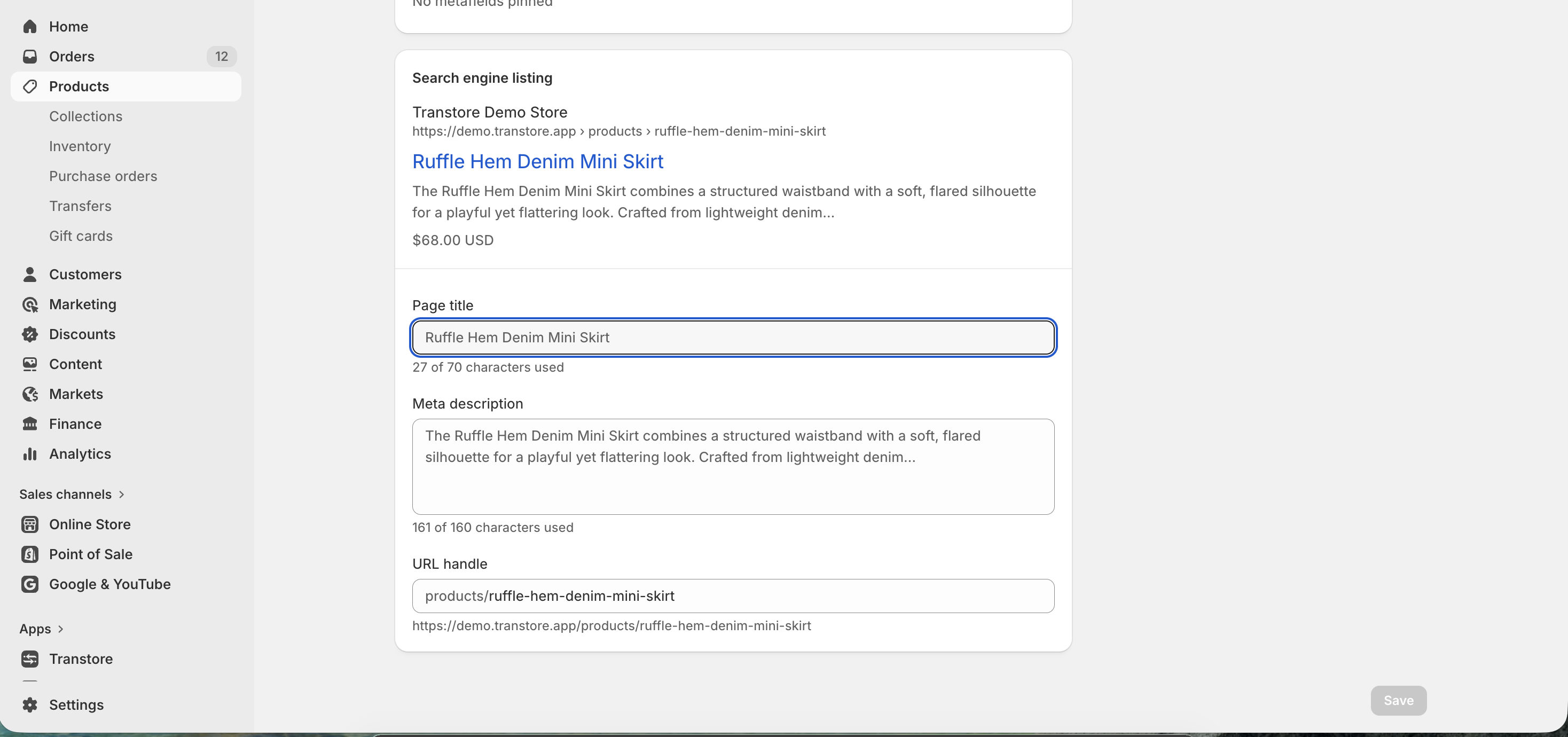
- After updating the SEO title and description in Shopify, the content will automatically sync to Transtore. You can find and translate it by navigating to: Transtore => Language => [Language] => Product
3. Meta title and meta description for your online store's homepage
- From your Shopify admin, go to Online Store > Preferences.
- Enter a title and meta description for your store, following SEO best practices.
- Click Save.
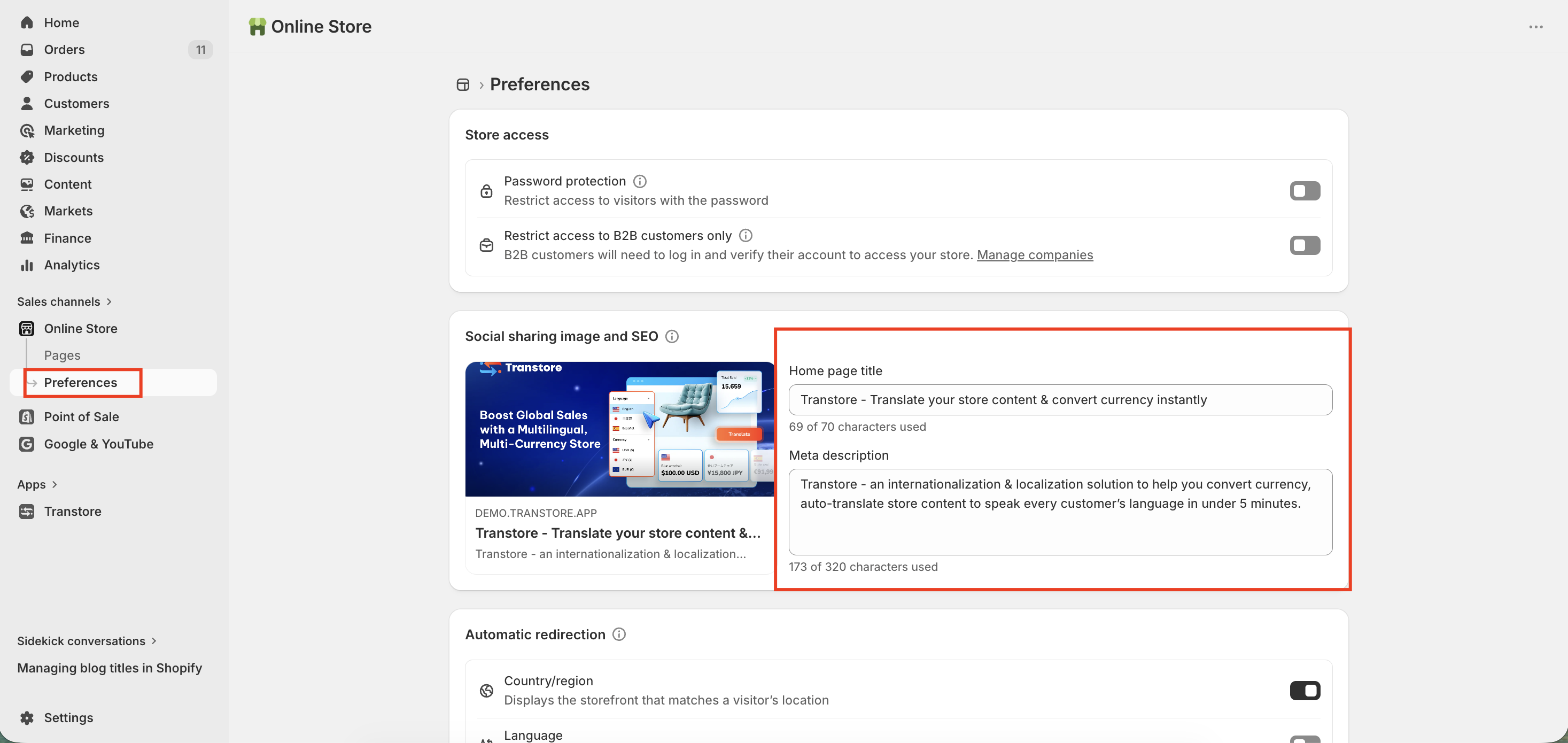
- After updating the Home page title and meta description in Shopify, the content will automatically sync to Transtore. You can find and translate it by navigating to: Transtore => Language => [Language] => Online store => Store metadata => Meta content => Search engine listing
Note:
For SEO title and SEO description, if you haven’t made any edits in the default language, they won’t be synced into the Transtore app.
Once you’ve edited this, you’ll need to go into the Transtore app and translate them into your existing languages. After that, Google will be able to correctly crawl and index the localized SEO content.