Export Translations
Currently you can export translations from Shopify, please kindly follow these steps below but please you need to enter manually translations first:
Step 1: Go to your Shopify Admin
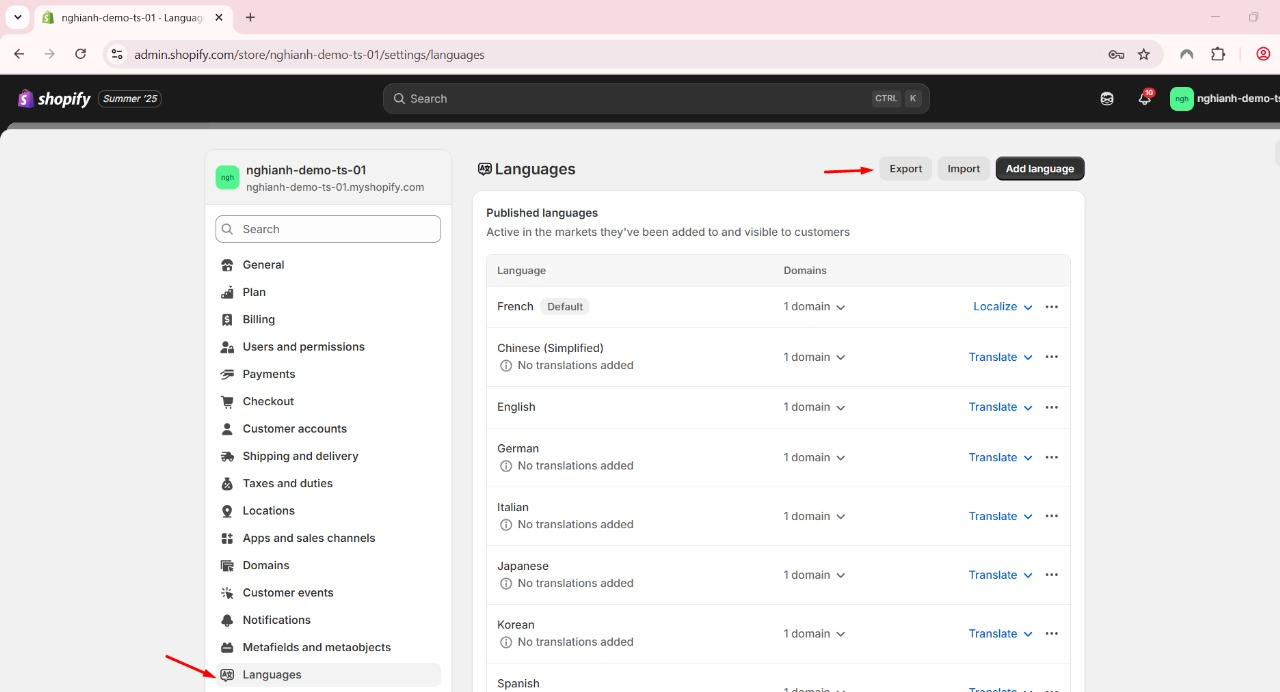
Step 2: In the left sidebar, scroll down and click “Languages”.
Step 3: At the top right of the Languages page, click the “Export” button (highlighted with a red arrow in your image).
Step 4: A dialog will appear prompting you to choose the language(s) you want to export.
Step 5: Select the desired language(s), and click Export.
Step 6: Shopify will send you a CSV file via email, or prompt you to download directly, depending on the volume.
Should you have further questions, please contact email [email protected]