How to Set Up the Currency Feature
Once you've successfully configured the app, all the prices in your store will be automatically converted.
To set up the currency, follow these steps:
1. Configure Currency Settings
You need to copy the settings shown in the Currency section and paste them exactly into your Store settings in Shopify Admin.
Refer to this video for hands-on experience:
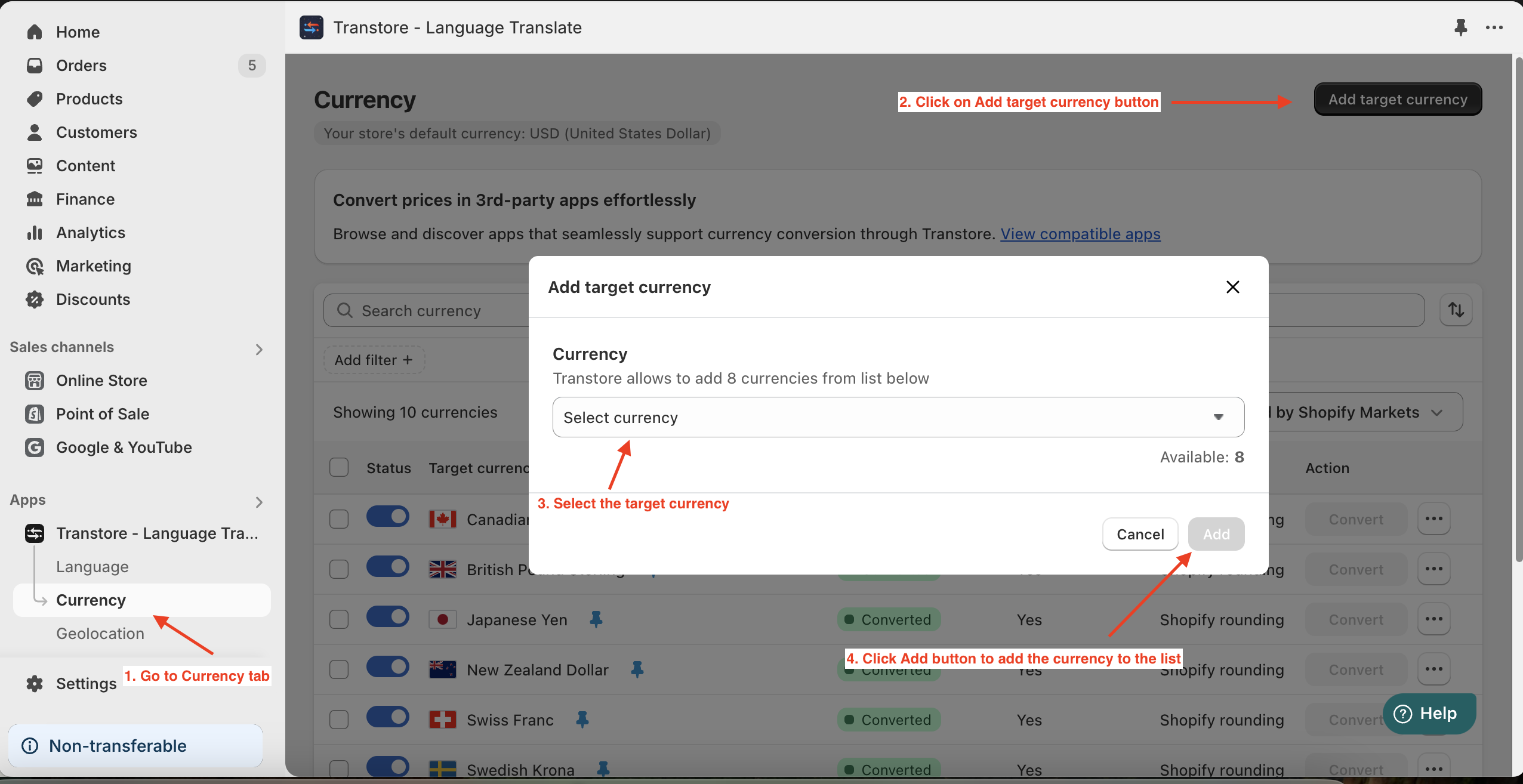
2. Add Target Currencies
Choose the currency(s) you want the price to be converted into.
3. Enable App Embeds in Theme Editor
Click on the link attached within the Transtore in-app interface and save the settings.
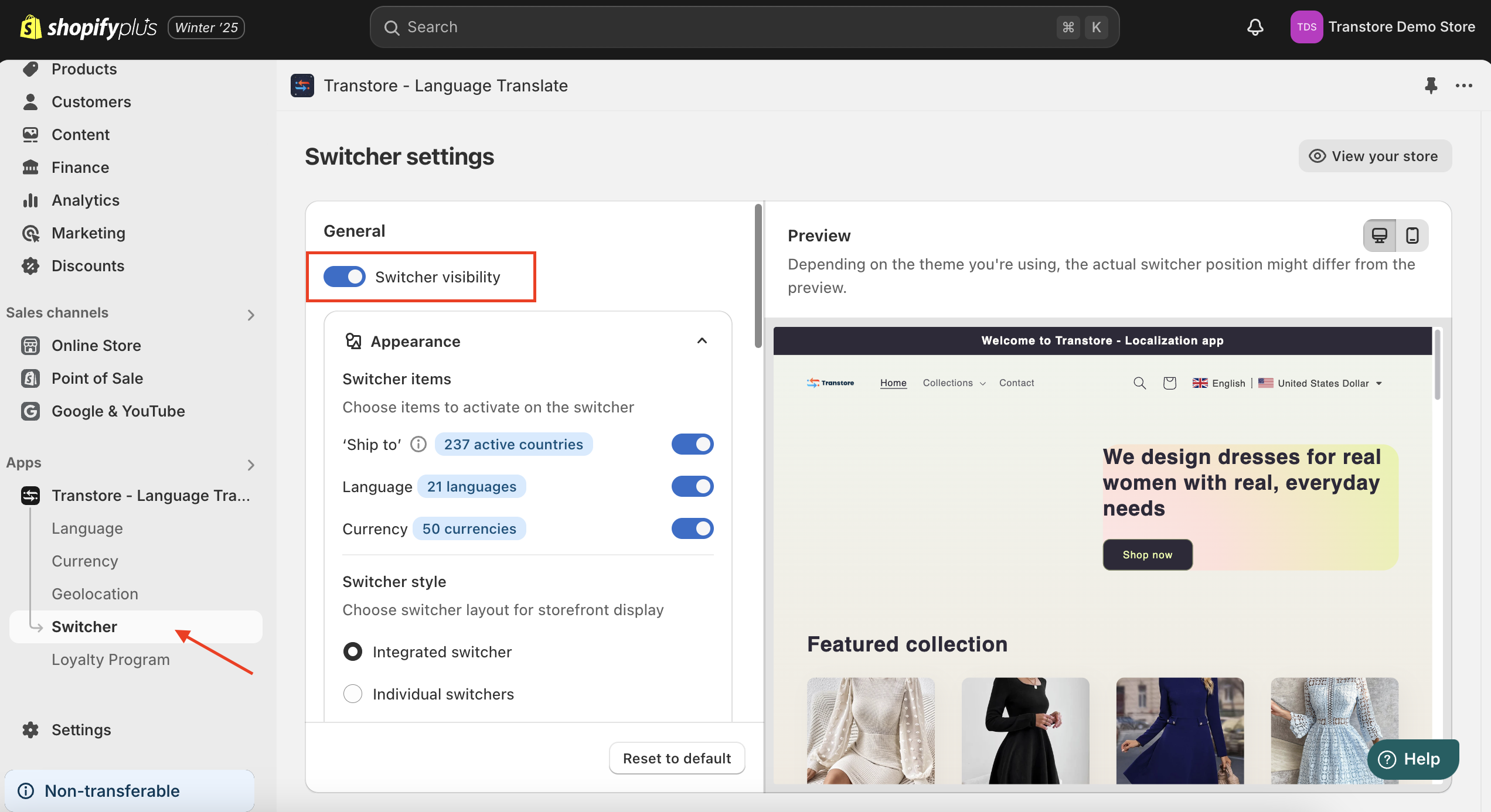
4. Configure and Enable the Switcher
Display the currency on your storefront using either a floating or embedded style. Check out the Preview screen to find the style that best suits your store.
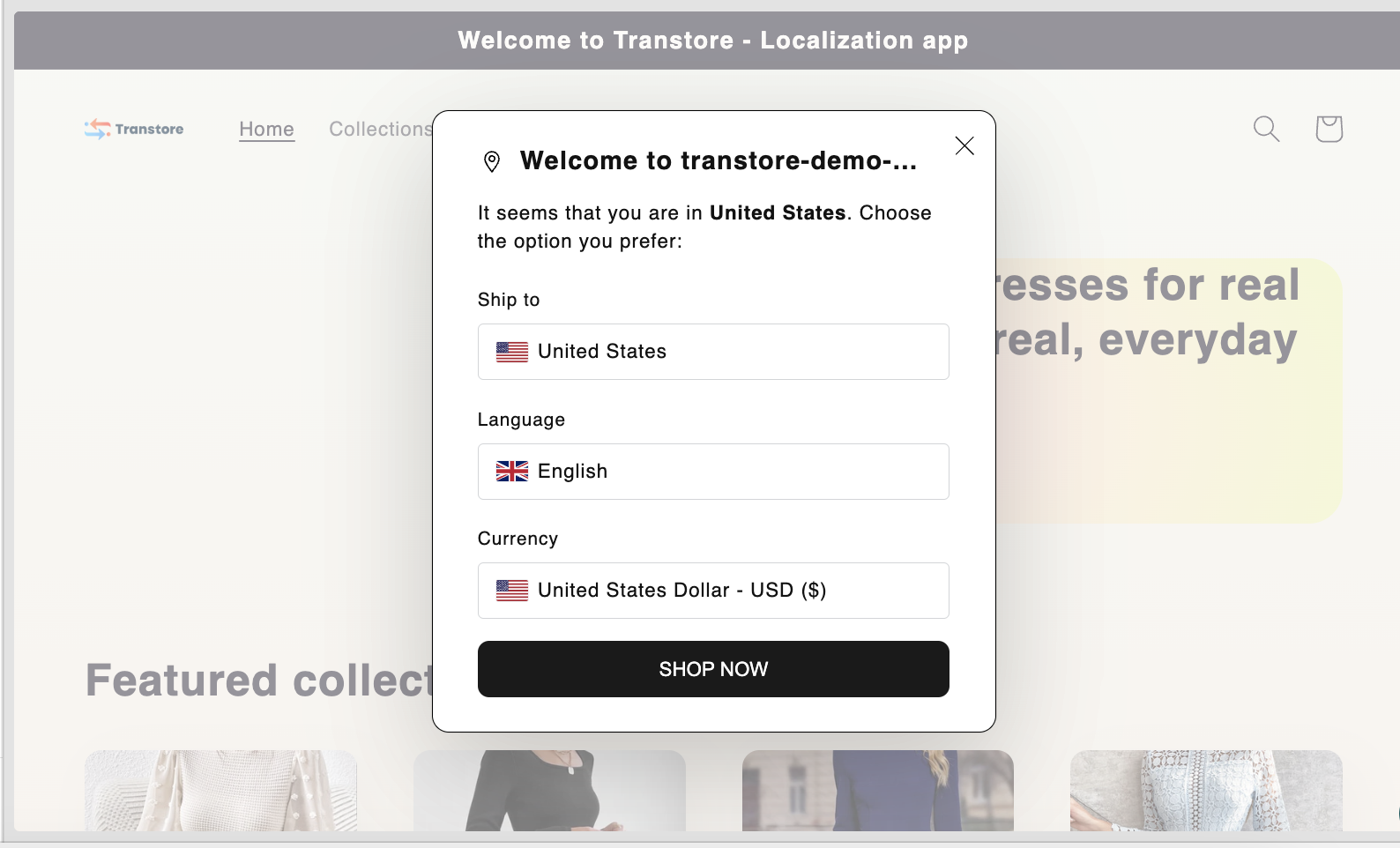
5. Optional - Set Up Geolocation
You can use this feature to show a recommendation pop-up to visitors or to automatically switch currency/language based on the visitor's location.
Should you encounter any difficulties during the setup process, please don't hesitate to reach out to us at [email protected].
We're here to provide the assistance you need for a smooth experience.