How to Create a Staff Account? Why Does Support Team Need It?
Transtore understand you are not sure about your confidential information when you giving access to our team. Please rest assured that we only ask access when we need to check in-app and Shopify admin to reproduce issue or complete your request.
As a third-party app developer on Shopify, we are not allowed to access, store or use merchants' data and information. And you can remove our account once the issue/request has been resolved.
Send Staff Account Invitation
You should create a staff account to email: [email protected] for us to log in and check issue/request.
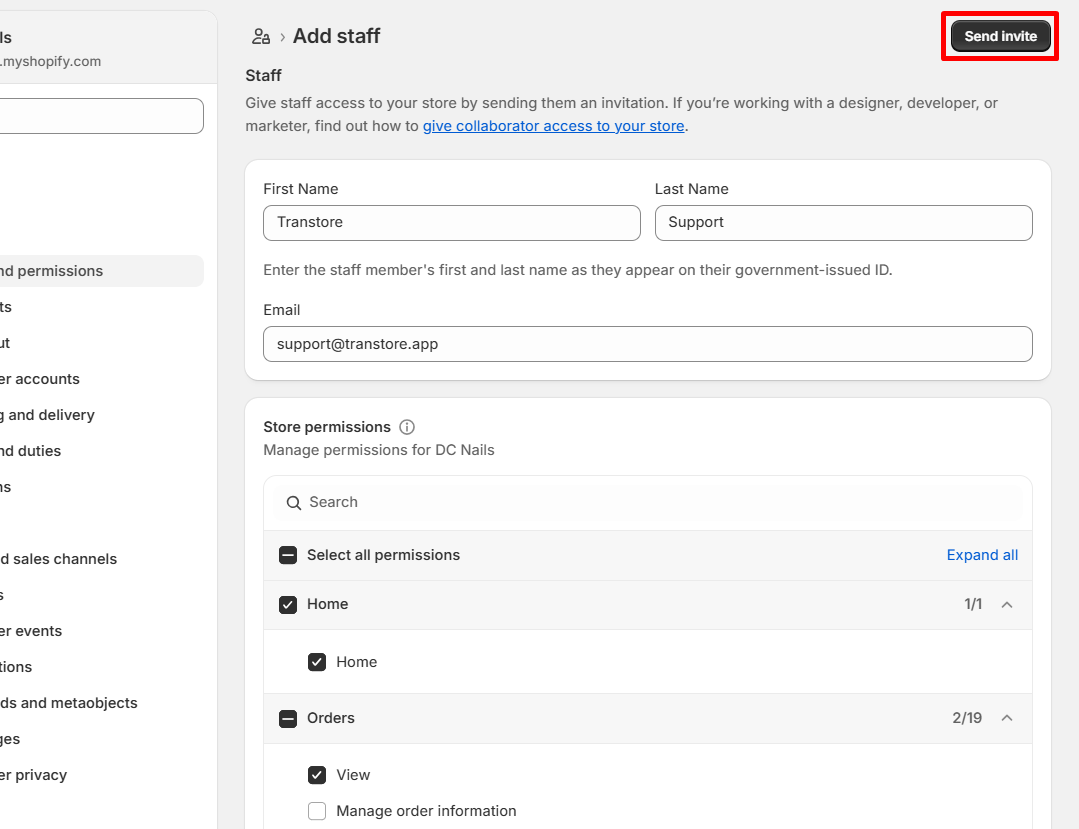
Make sure to give us Markets and Store settings with below permissions:
- Home
- Orders (Edit order)
- Products (View and edit product cost)
- Reports
- Dashboard
- Discounts
- Manage and install apps
- Themes (Edit theme code)
- Domains
- Manage settings
- Checkout
You can follow this Shopify guidance to create a staff account.
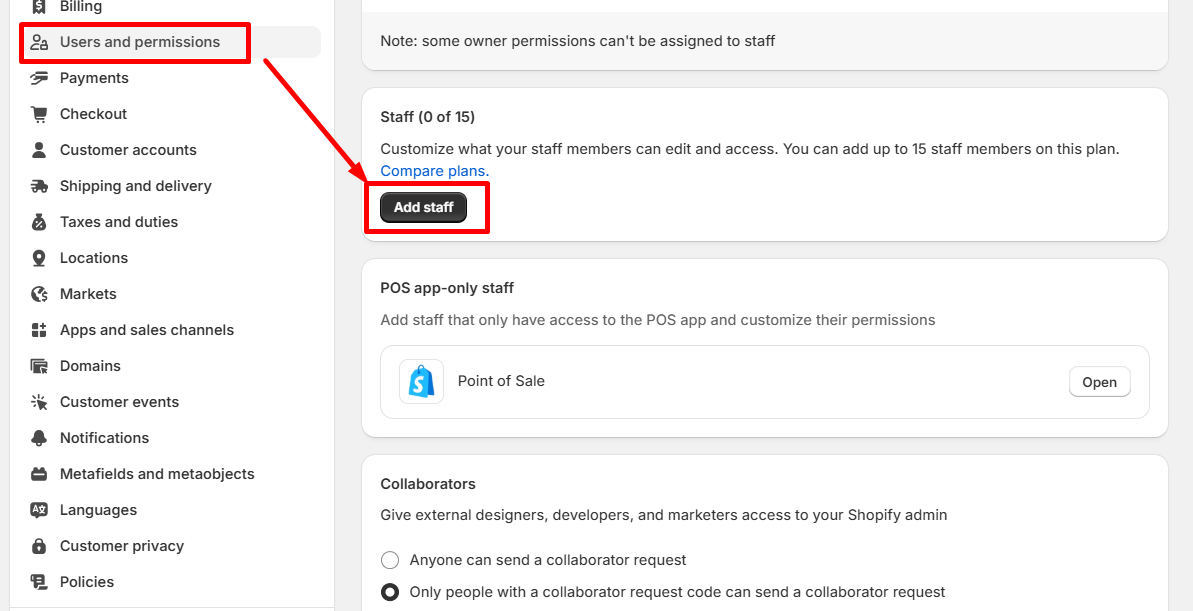
OR you simply go to Shopify > Settings > Users and Permission > Add Staff account:
Enter a first name (Transtore) and a last name (Support), an email address ([email protected]) > tick above permissions > click Send.
Please let us know if you find any difficulty or have more questions. You can contact us via [email protected].