Translate meta titles and meta descriptions
For SEO purposes, Transtore supports manual translations of the SEO titles and meta descriptions for your homepage, products, pages, and blog posts.
SEO titles and meta descriptions appear in Transtore only after you add or edit and save them in your store’s default language in Shopify. If you don’t see these fields in Transtore, check that they’ve been saved in Shopify first.
Homepage
-
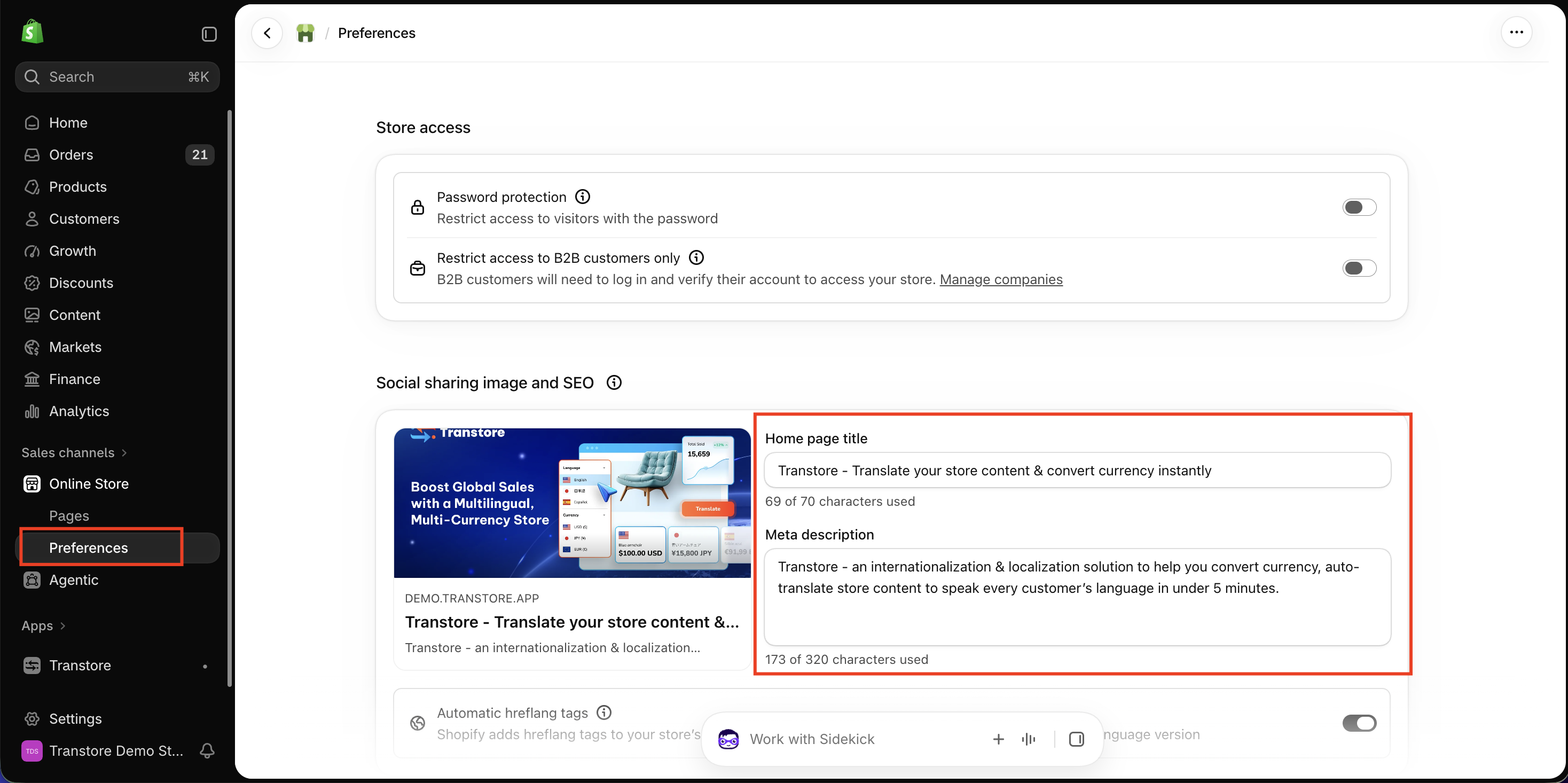
In your Shopify admin, go to Online Store > Preferences.
-
Enter your homepage title and meta description, then click Save.
-
In Transtore, go to Language and click Manage language for the target language.
-
Open Online store > Store metadata > Meta content > Search engine listing, then translate the homepage title and meta description.
Products
-
In your Shopify admin, go to Products and open the product you want to edit.
-
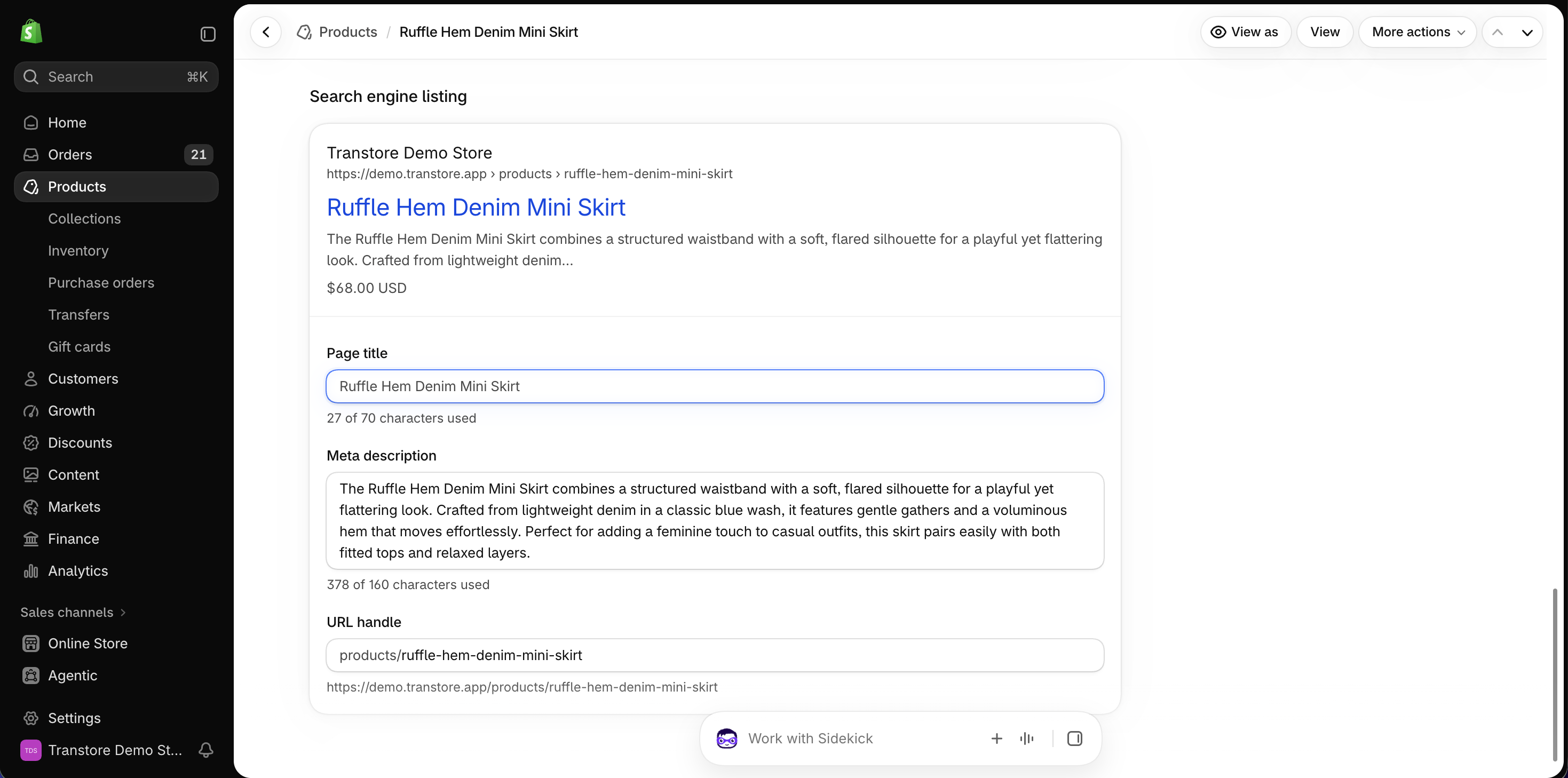
Under Search engine listing, click Edit website SEO.
-
Enter the Page title and Meta description, then click Save.
-
In Transtore, go to Language and click Manage language for the target language.
-
Open Product, select the product, and translate its SEO title and meta description.
Pages
-
In your Shopify admin, go to Online Store > Pages and open the page you want to edit.
-
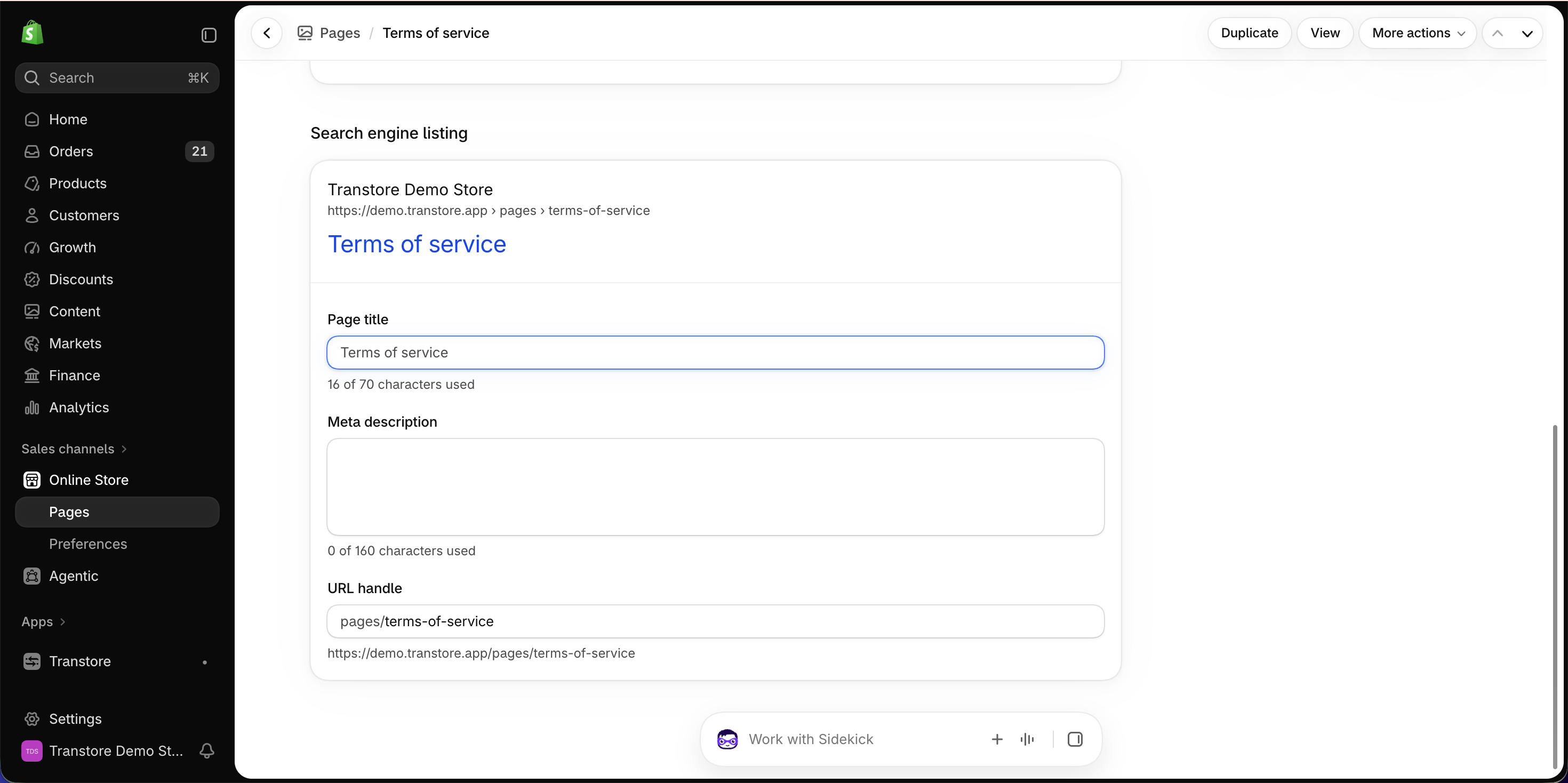
Under Search engine listing, click Edit website SEO.
-
Enter the Page title and Meta description, then click Save.
-
In Transtore, go to Language and click Manage language for the target language.
-
Open Online store > Pages, select the page, and translate its SEO title and meta description.
Blog posts
-
In your Shopify admin, go to Content > Blog posts and open the blog post you want to edit.
-
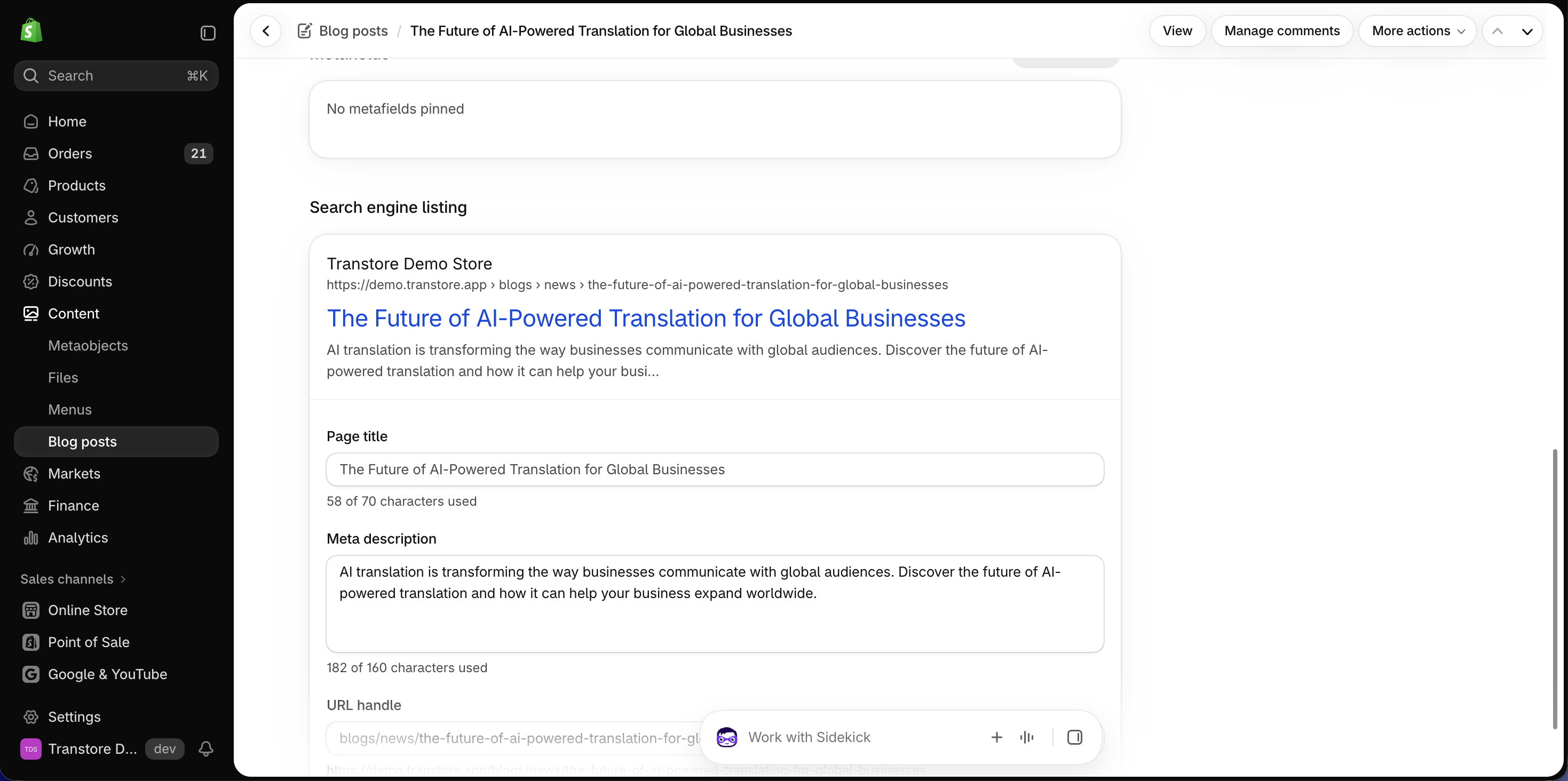
Under Search engine listing, click Edit website SEO.
-
Enter the Page title and Meta description, then click Save.
-
In Transtore, go to Language and click Manage language for the target language.
-
Open Online store > Blog posts, select the blog post, and translate its SEO title and meta description.
Repeat the Transtore steps for each target language you want to update.
If you have any questions or need help translating your meta titles and meta descriptions, please contact us at [email protected]. We’re happy to help.