Set up the switcher
Use the Transtore Switcher to let customers choose their Ship to country, language, and currency on your storefront.
note
Before setting up the Switcher, add and publish the languages or currencies you want to display in the Language and Currency sections of Transtore.
Step 1: Enable the Transtore app embed
- Open the Transtore app in your Shopify admin.
- Go to Switcher.
- Click App embeds in the setup instructions to open the Shopify Theme Editor.
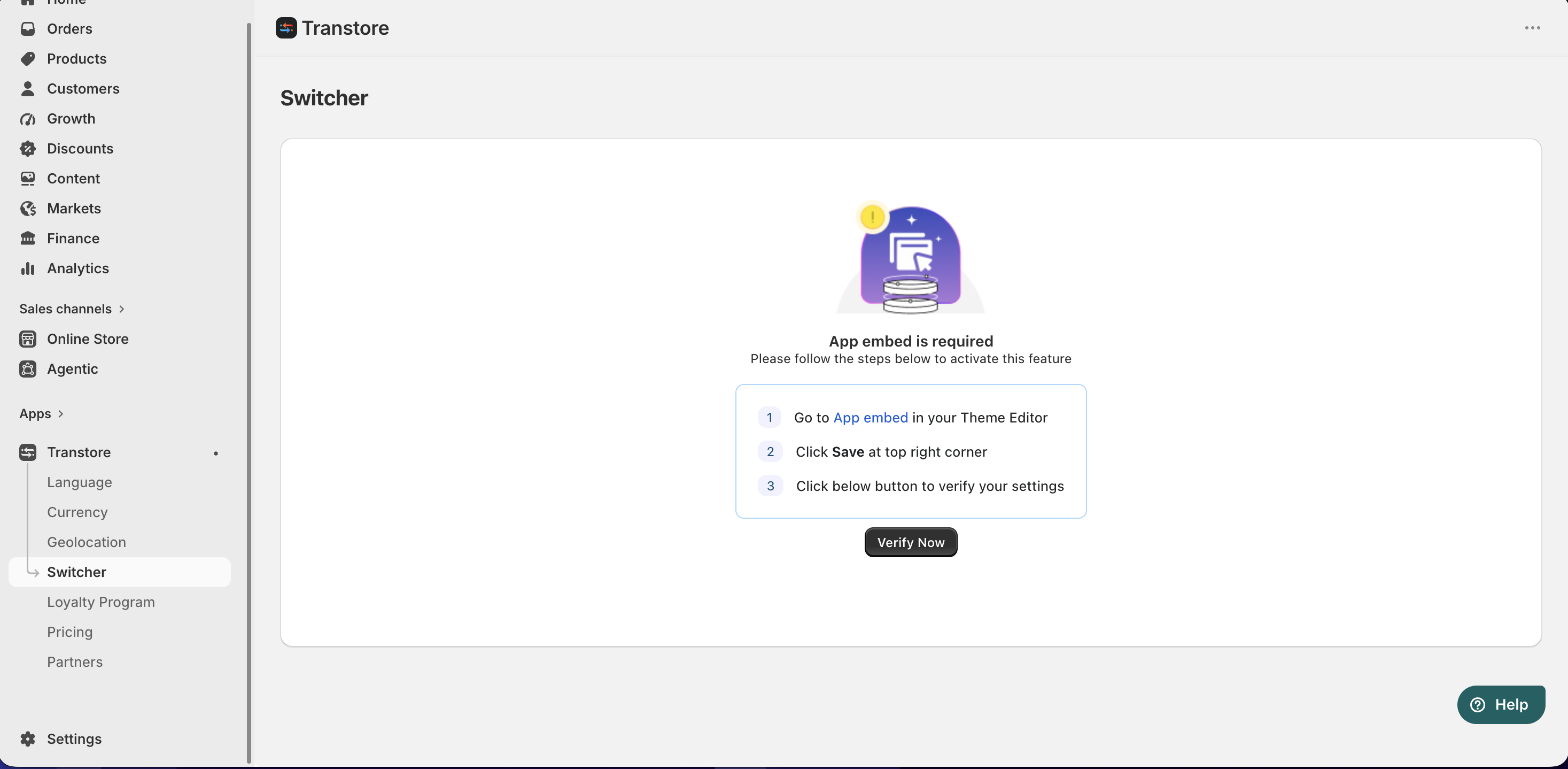
- The Transtore Widgets app embed is enabled automatically.
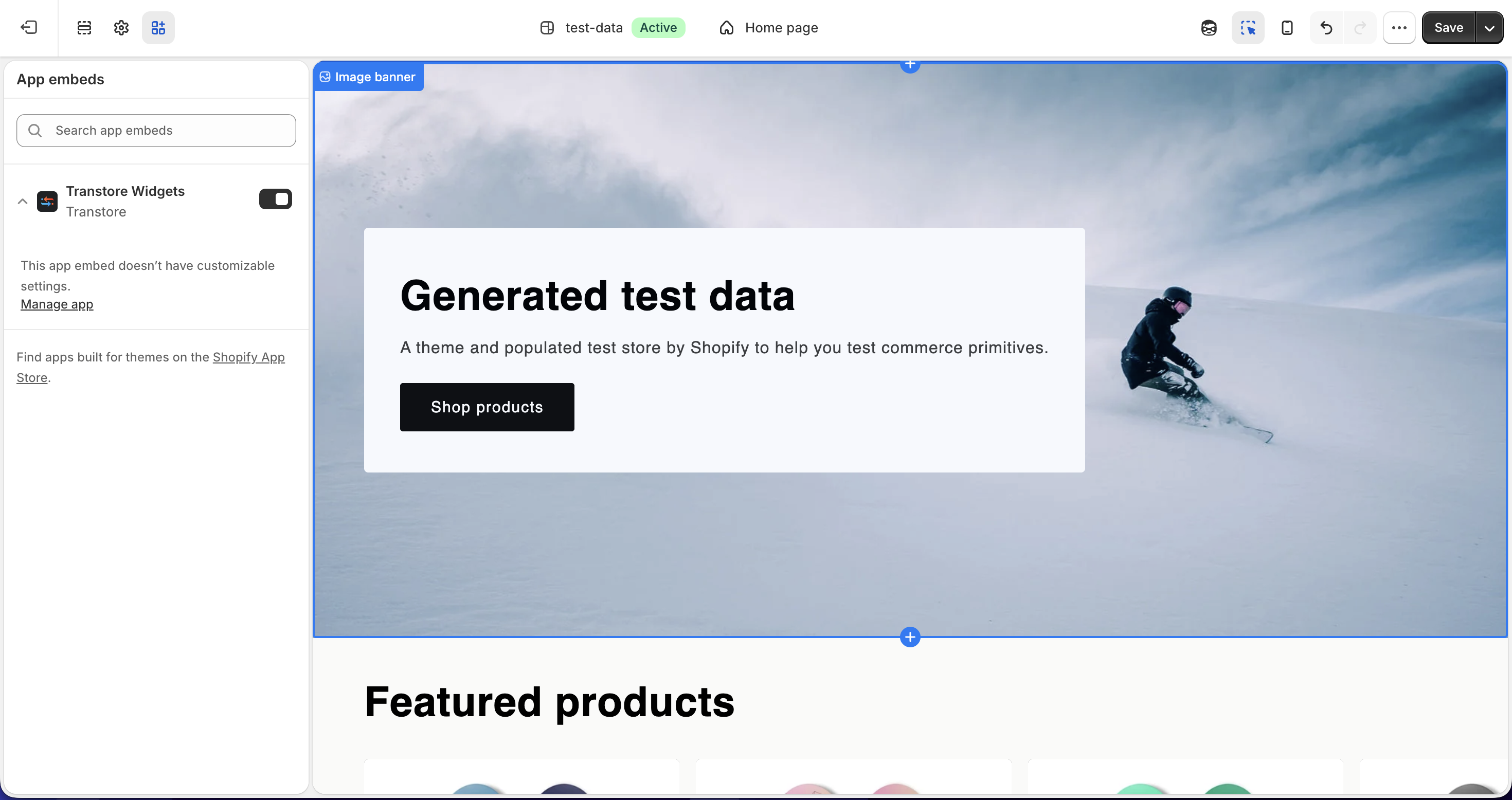
- Click Save in the top-right corner of the Theme Editor.
- Return to Transtore and click Verify now.
Step 2: Turn on the Switcher
- In Transtore, go to Switcher.
- Turn on the Switcher to display it on your storefront.
- Choose the items you want to show in the Switcher:
- Ship to
- Language
- Currency
- Save your changes.
- Click Preview as shopper to preview the Switcher based on your current location, a selected country or region, or an IP address.
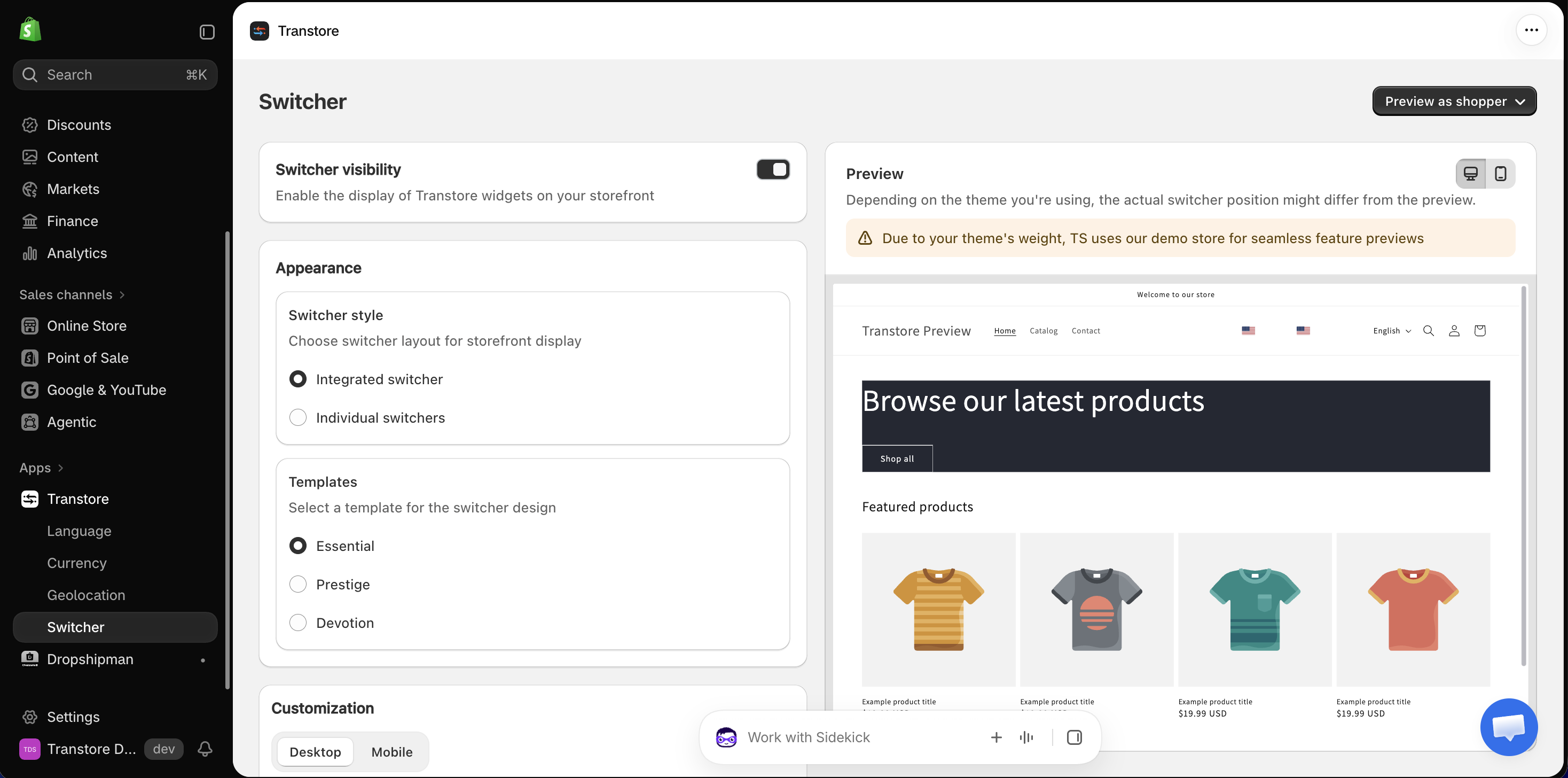
Step 3: Customize the Switcher
After the Switcher is enabled, you can configure its style, position, and display options to match your storefront.
- Choose between integrated and individual Switchers
- Embed and position the Switcher in your header or footer
- Customize flags, icons, text, and display options in the Switcher
If you have any questions or need help setting up the Switcher, please contact us at [email protected]. We're happy to help.