How can I change a language’s flag?
You can change the flag displayed for a language in the Transtore Switcher without changing the language itself.
To change a language’s flag:
- Open the Transtore app and go to Language.
- Find the language you want to update.
- Click the three-dot menu next to Manage language.
- Select Change flag.
- Choose the flag you want to display.
- Save your changes.
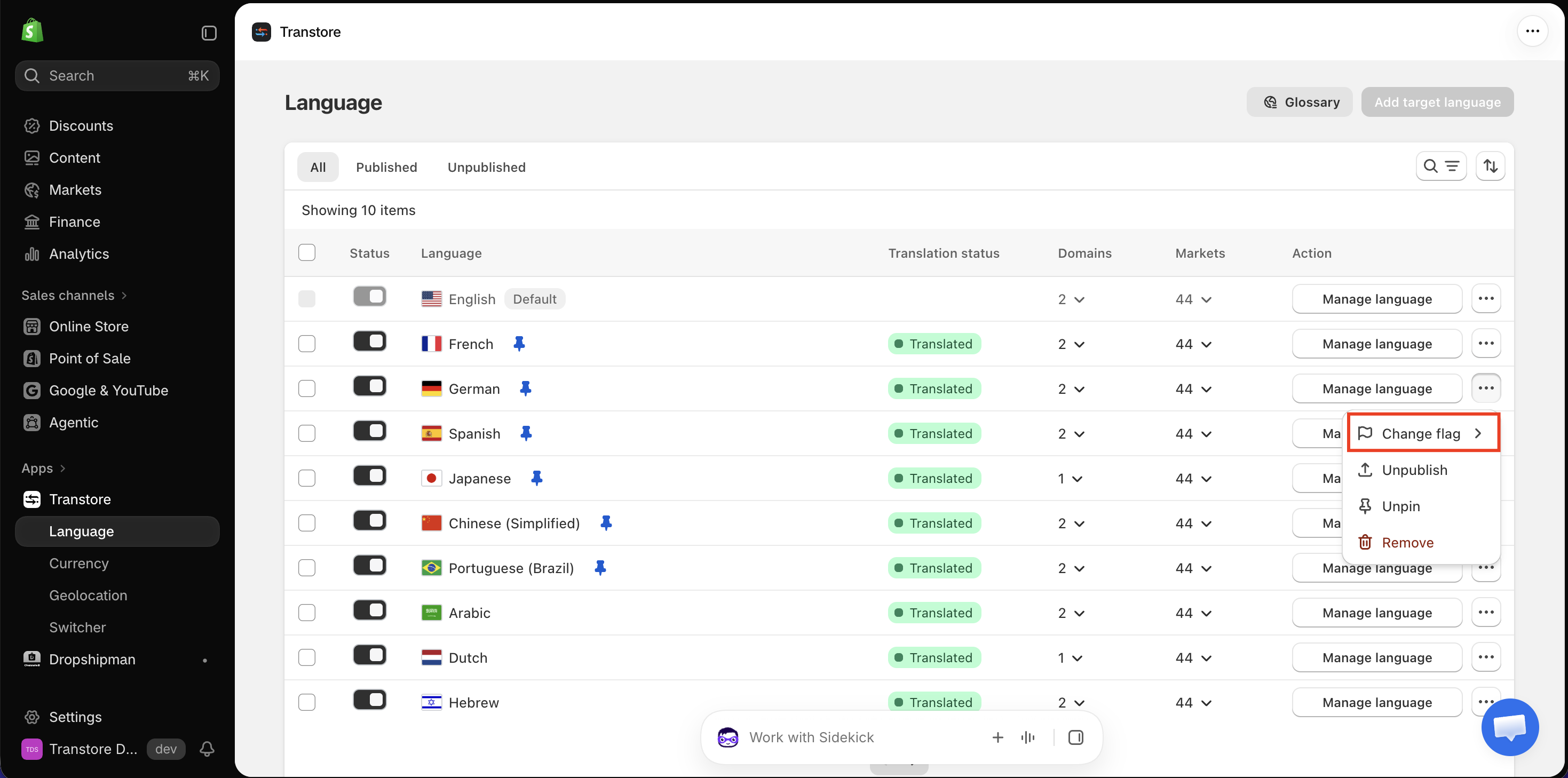
The selected flag will be displayed next to that language in the Transtore Switcher on your storefront.
If you have trouble changing the flag or the new flag does not appear on your storefront, please contact us at [email protected]. Our support team will be happy to check the settings and assist you.