Where can I find and edit Theme Editor content in Transtore?
Yes. Transtore lets you translate and edit content created through the Shopify Theme Editor, including Rich text and other theme sections or blocks, such as headings, text, and button labels.
To find and edit this content in Transtore:
- Go to Language.
- Click Manage language next to the target language.
- Under Translations, open Theme.
- Click View details next to Templates. Transtore displays all content in your theme templates, where you can find and edit the translation you need.
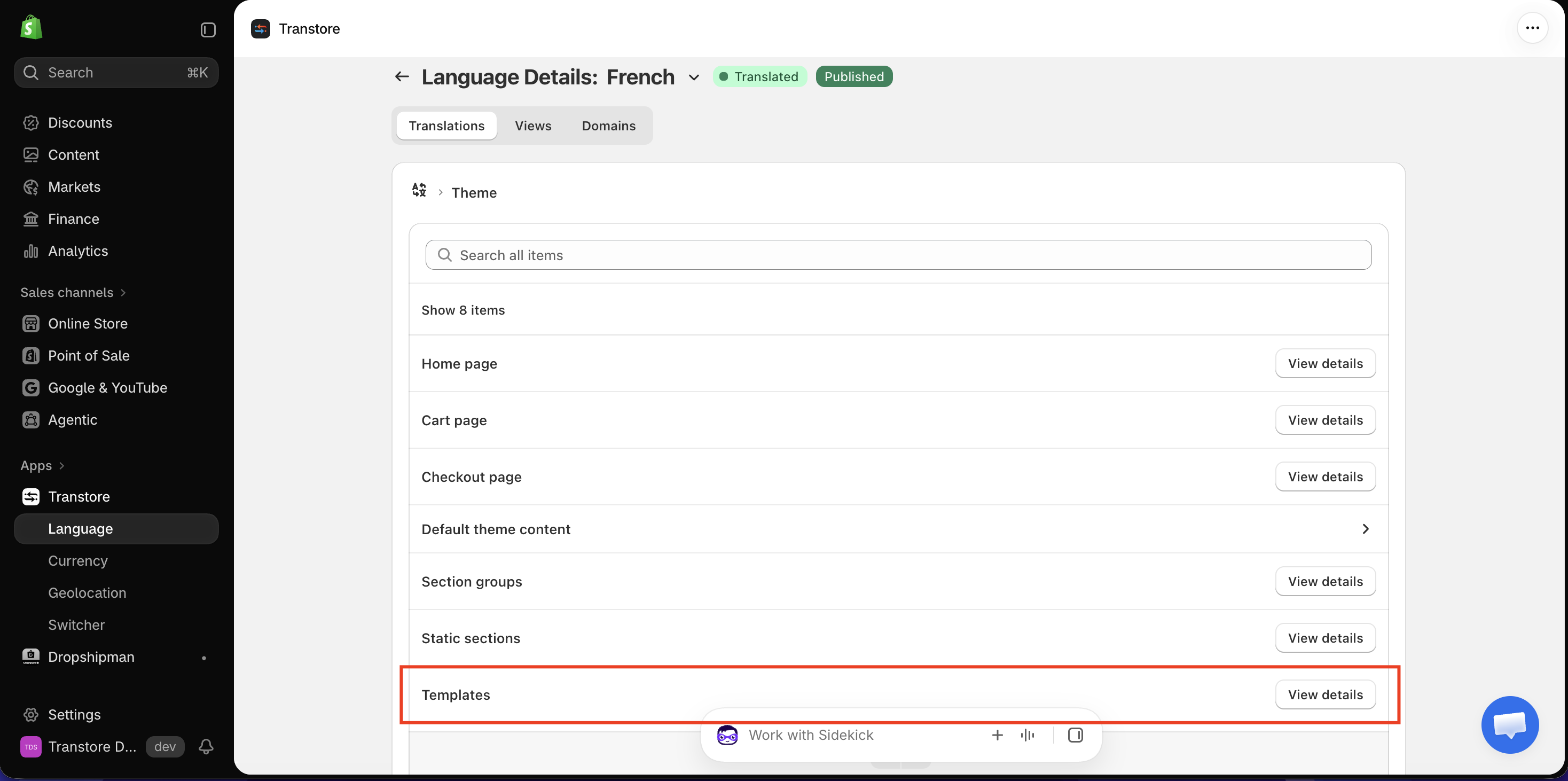
Content created in the Shopify Theme Editor, including Rich text, may not appear under Pages, Products, or Collections. Check Theme → Templates instead.
Custom Liquid content cannot be edited in Transtore or Shopify Translate & Adapt.
If your theme has many elements and it takes time to find the content you need, try Shopify Translate & Adapt. It includes a search feature to help you find content faster.
Manual translations created in Shopify Translate & Adapt and Transtore stay synced because both apps use Shopify's translation system.
If you are unable to find the content after following these steps, send us the text you're looking for and your storefront URL at [email protected]. We'll help you locate it.