How can I bulk translate all my products?
Transtore lets you use AI to create manual translations for up to 25 products at a time in one target language.
To create manual translations for more than 25 products, complete the current batch, then repeat the process for the next batch.
Create manual translations for multiple products
- Go to Language.
- Click Manage language next to the target language.
- Under Manage translation, open Product.
- Select up to 25 products.
- Click Improve translation with AI.
- Select OpenAI GPT or Deepseek.
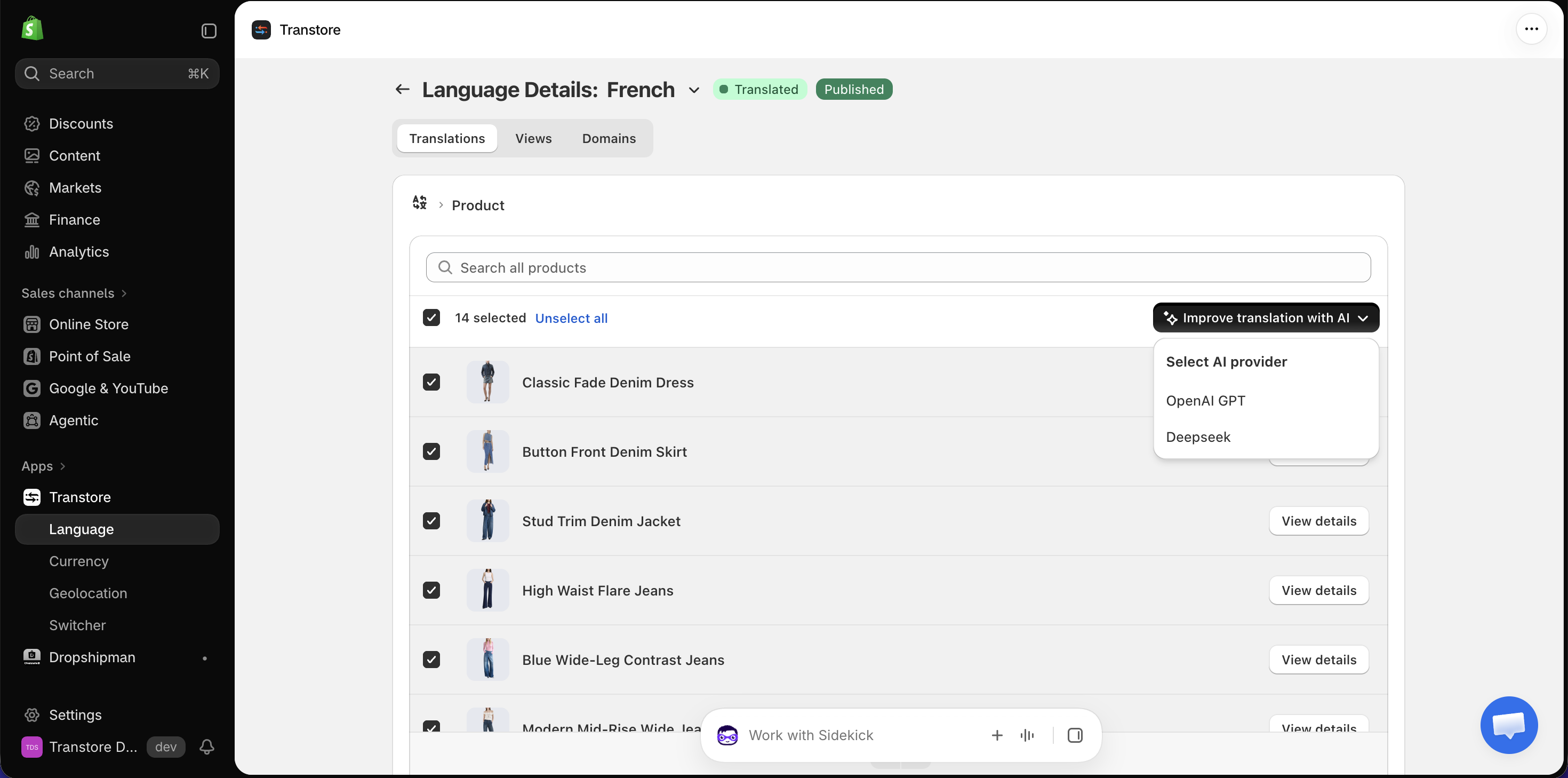
Transtore creates manual translations for the selected products and saves them in Shopify.
If you have any questions, please contact us at [email protected].