Can I export my translations from Transtore?
Transtore does not provide a separate translation export tool. However, manual translations created in Transtore are saved to Shopify through Shopify’s Translation API and can be exported from your Shopify admin as a CSV file.
To export your translations:
- From your Shopify admin, go to Settings → Languages.
- Click Export in the top-right corner.
- Under Language, select a specific language or All languages.
- Under Translation status, select the translation status you want to include.
- Under Content, select:
- All to export all available content.
- Selected content to choose specific content.
- Under File, select:
- CSV for Excel, Numbers, or another spreadsheet program
- CSV for text editors
- Click Export.
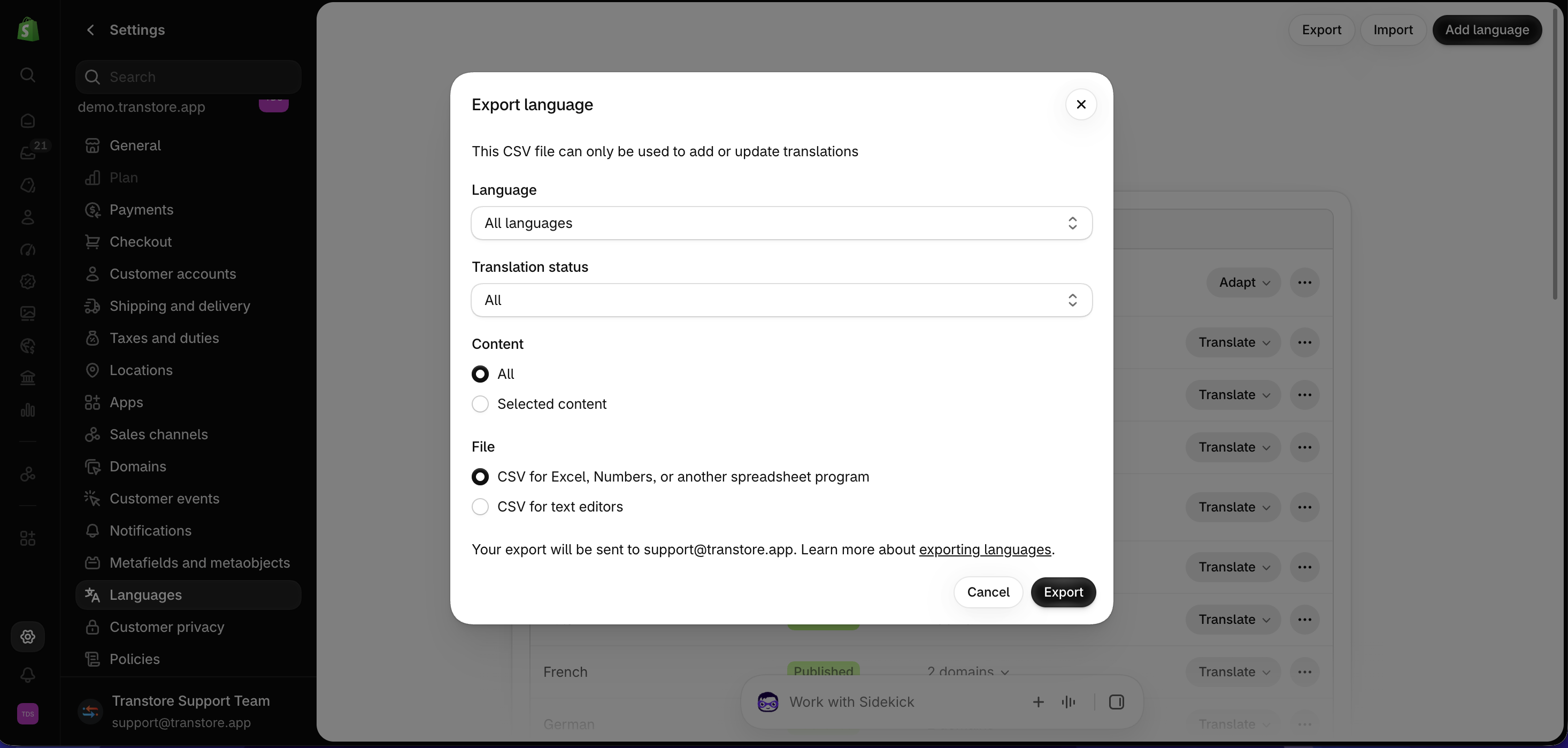
Shopify will send the exported CSV file to the email address displayed in the export window. The CSV file can be used to add or update translations in Shopify.
Only translations saved as manual translations in Shopify are included in the export. Transtore’s Auto translation is applied directly to your storefront and cannot be exported.
For more information, see Shopify’s guide to exporting language translations.
If you experience any issues while exporting the CSV file from Settings → Languages, please contact Shopify Support for further assistance.