Switcher types: integrated vs. individual
Transtore offers two layouts for displaying the Switcher on your storefront. You can display enabled items together in one Switcher or show each item separately.
Choose a Switcher style
- Open the Transtore app in your Shopify admin.
- Go to Switcher.
- Under Appearance > Switcher style, choose:
- Integrated switcher - Displays all enabled items together in one Switcher.
- Individual switchers - Displays each enabled item in a separate Switcher.
- Use the desktop and mobile previews to check how the selected layout looks on each device.
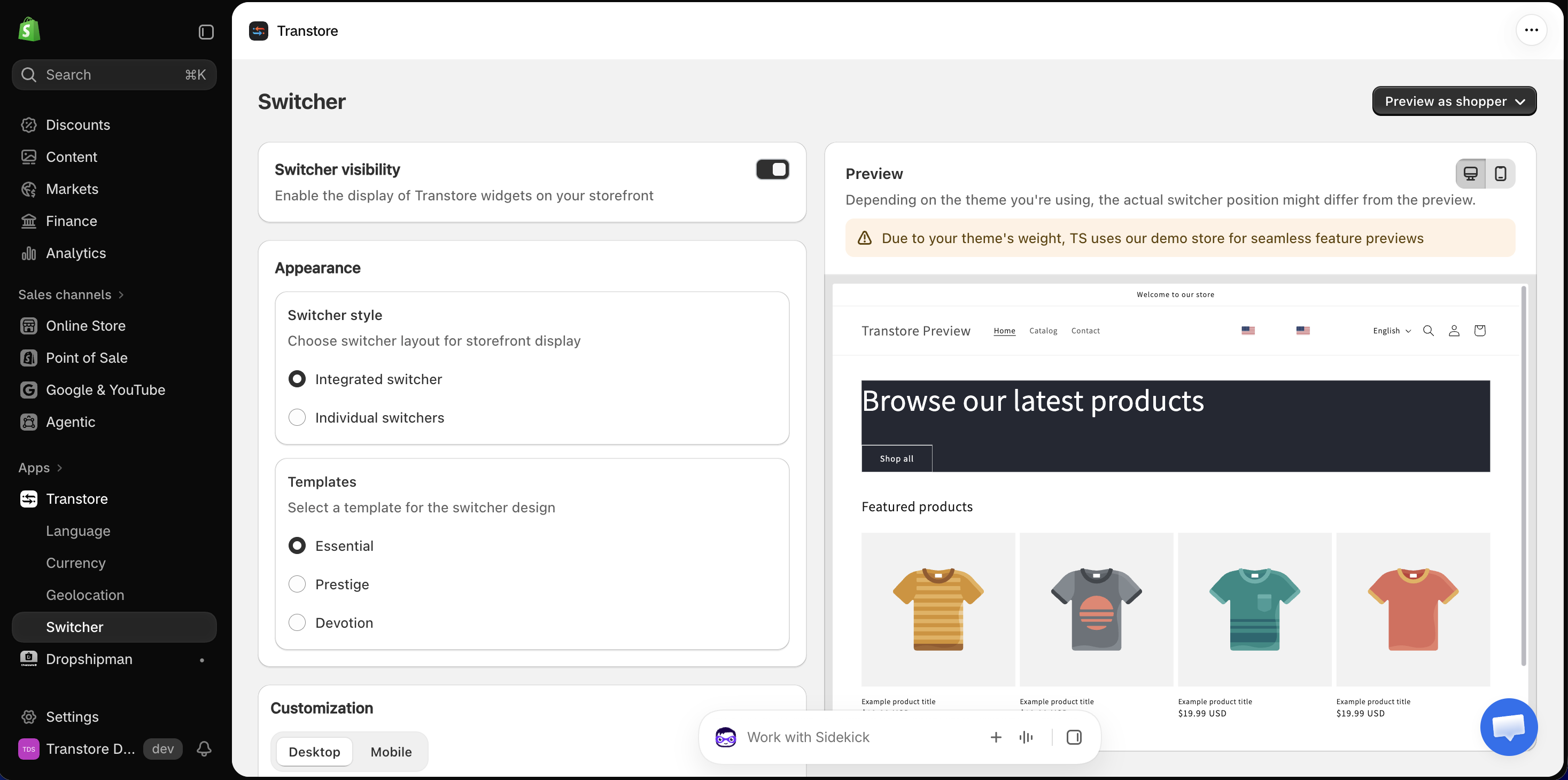
Under Templates, you can choose a design for the Switcher: Essential, Prestige, or Devotion. This setting changes the Switcher’s design, while Switcher style controls whether the enabled items appear together or separately.
For more configuration options, see:
- Embed and position the Switcher in your header or footer
- Customize flags, icons, text, and display options in the Switcher
If you have any questions or need help choosing a Switcher layout, please contact us at [email protected]. We’re happy to help.