Set up Geolocation and configure its options
Geolocation helps tailor your storefront to each visitor's location. You can show recommendations or automatically switch the visitor's language, currency, and country or region settings.
Before enabling Geolocation, make sure you have configured the required Shopify Markets, languages, and currencies for your store.
Step 1: Enable Geolocation
- Open the Transtore app in your Shopify admin.
- Go to Geolocation.
- Turn on Geolocation.
When Geolocation is enabled, Transtore displays the storefront experience that matches the visitor's location preferences.
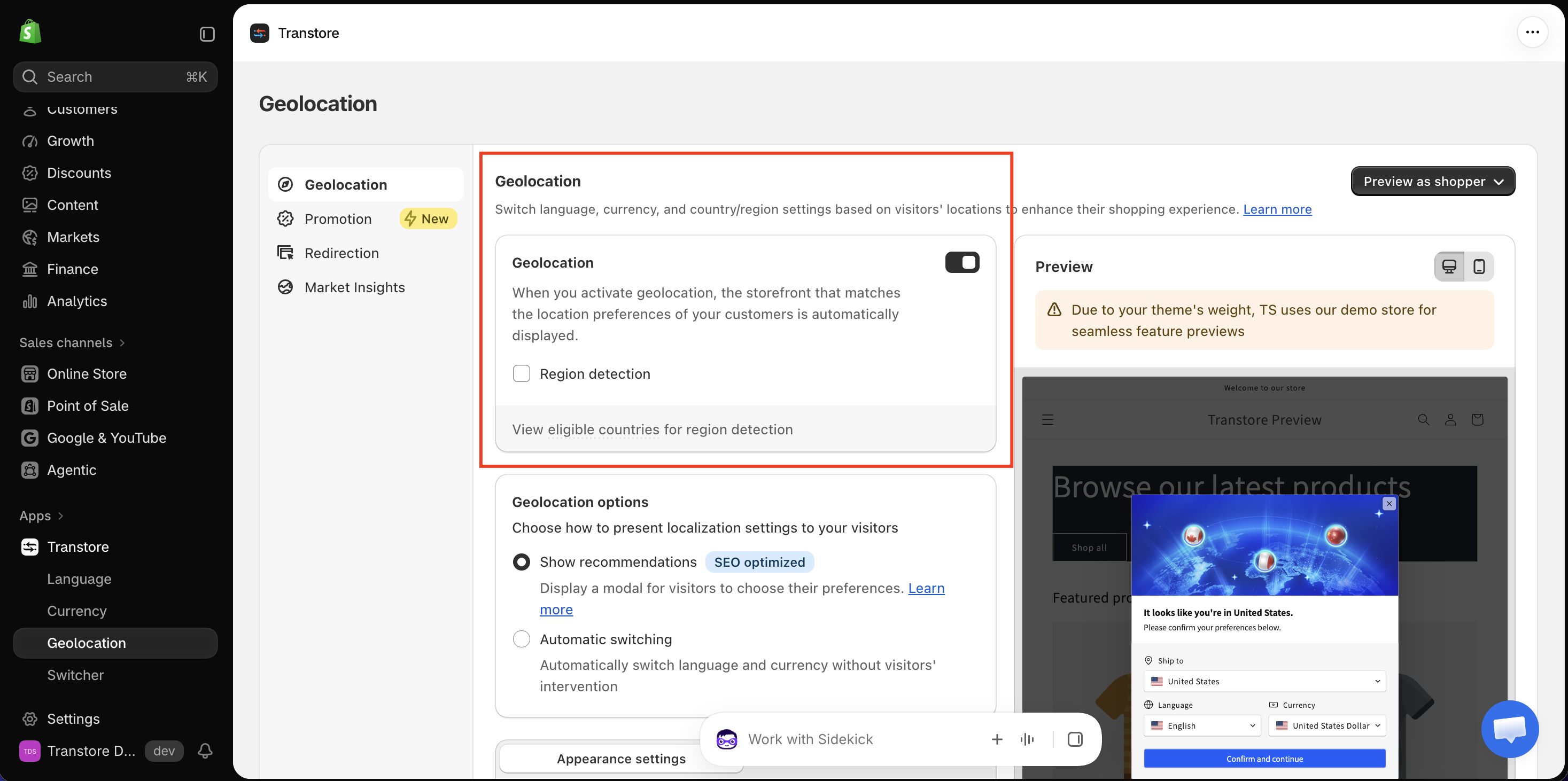
Enable Region detection
Select Region detection if you want to detect visitors by region.
Click View eligible countries for region detection to check the supported countries.
Step 2: Choose a Geolocation option
Under Geolocation options, choose how you want to present localization settings to visitors.
- Show recommendations: Displays a modal that lets visitors choose their Ship to country, language, and currency. This option is SEO optimized.
- Automatic switching: Automatically switches the visitor's language and currency without requiring any action.
Step 3: Customize and preview the recommendation modal
This step applies when you choose Show recommendations.
Use Appearance settings and Content settings to customize the modal, including:
- Modal layout and visual style
- Visible selectors and their display format
- Image, logo, button alignment, border radius, and delay time
- Modal text and button labels
Click Save, then click Preview as shopper to review the experience before publishing it.
If you have any questions or need help setting up Geolocation, please contact us at [email protected]. We're happy to help.