Why is Transtore not working properly?
If Transtore isn’t working as expected, it’s usually due to one of the common setup issues below. Please check each step to quickly resolve the problem.
1. App Embed is not enabled
Transtore requires its app embed to be turned on in your Shopify theme.
How to check:
- From your Shopify admin, navigate to Online Store → Themes -> Click on Edit theme:
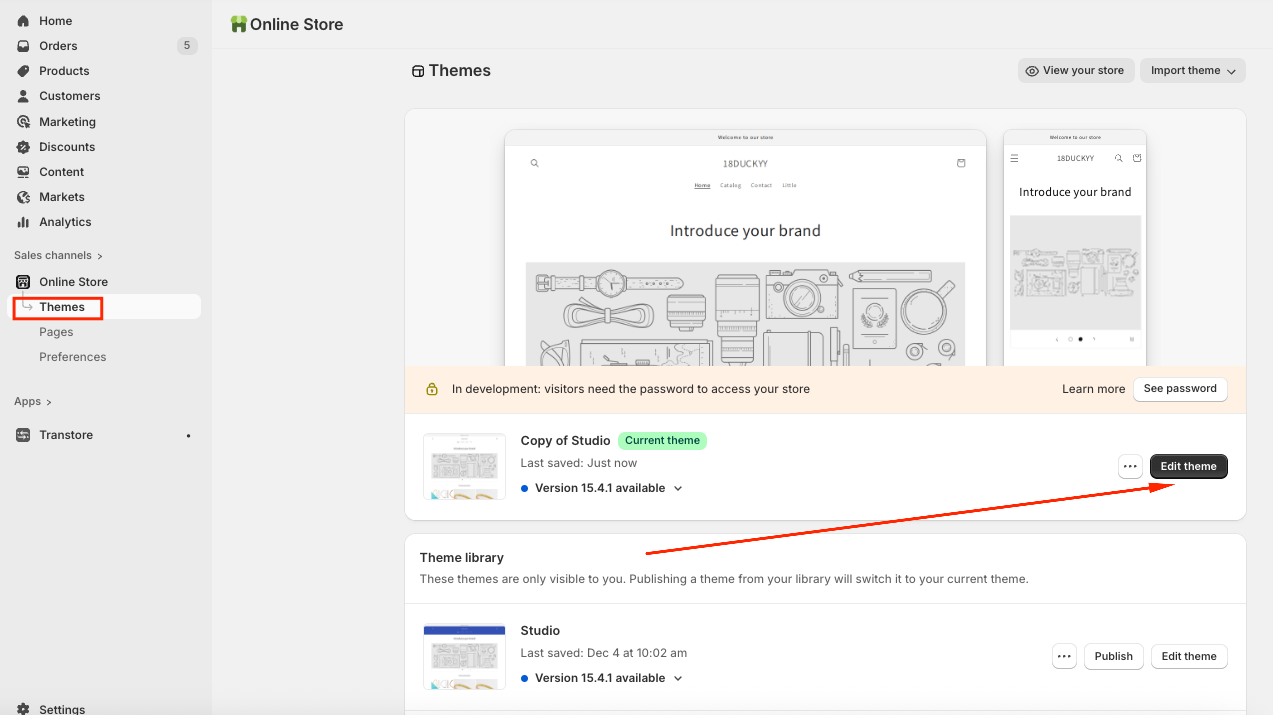
- Choose the "App embeds" tab -> Toggle ON the "Transtore" app embed and Save:
2. Language or currency hasn’t been added or published
If a language or currency isn’t published, it won’t work on the storefront.
Please make sure that:
- The language/currency is added in Transtore
- The Publish toggle is turned on
- The language/currency is assigned to the correct market
Please visit this article to know How to show the Language selection on the storefront.
And visit this article to know How to show the Currency selection on the storefront.
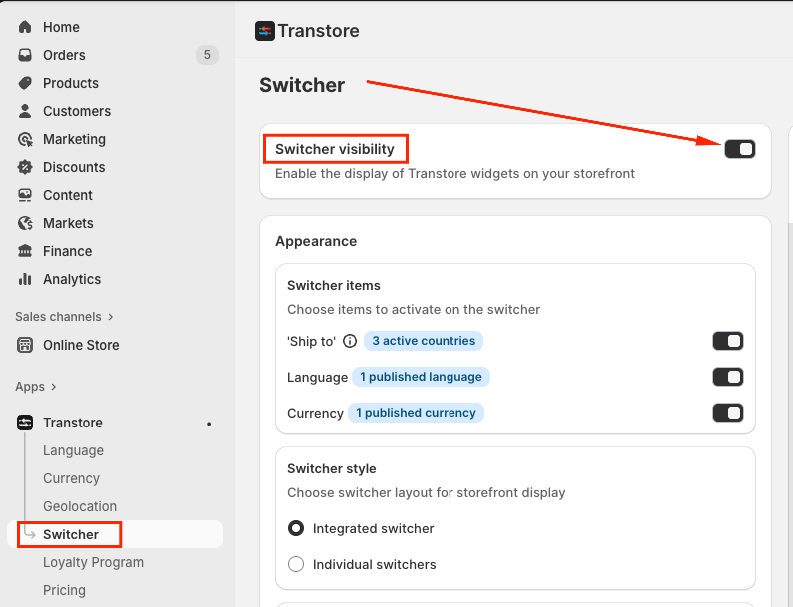
3. Switcher visibility is enabled
The switcher may not show if you didn’t activate it in the app.
How to check:
Please go to the Switcher section, enable the Switcher visibility and Save:
After completing the steps above, please refresh your storefront and test again.
If you’ve checked all the steps above and the app still isn’t working as expected, feel free to contact us via email [email protected].
We’ll be happy to help you get everything running smoothly ?