Why Can’t I See Language on Transtore Switcher?
If a language doesn’t appear on your switcher, it usually means it hasn’t been added, published, or assigned to the correct market yet. Please follow the steps below to check your setup.
I. Add and Publish the Language in Transtore
First, please make sure the language exists and is published in the app.
- Go to the Language section in Transtore
- Click Add languages and select the language you want to use
- Toggle the language to Publish
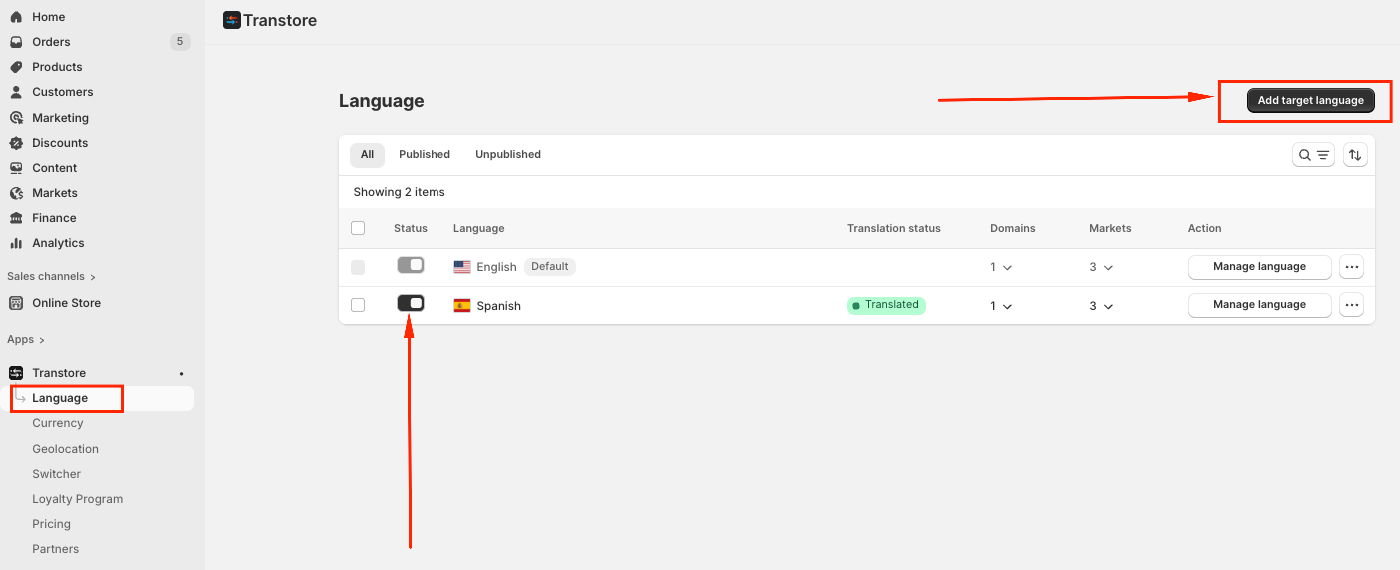
Note: Only published languages will appear on the switcher.
II. Make sure the Language section is enabled in the Switcher
Next, confirm that the language selection is activated in the switcher
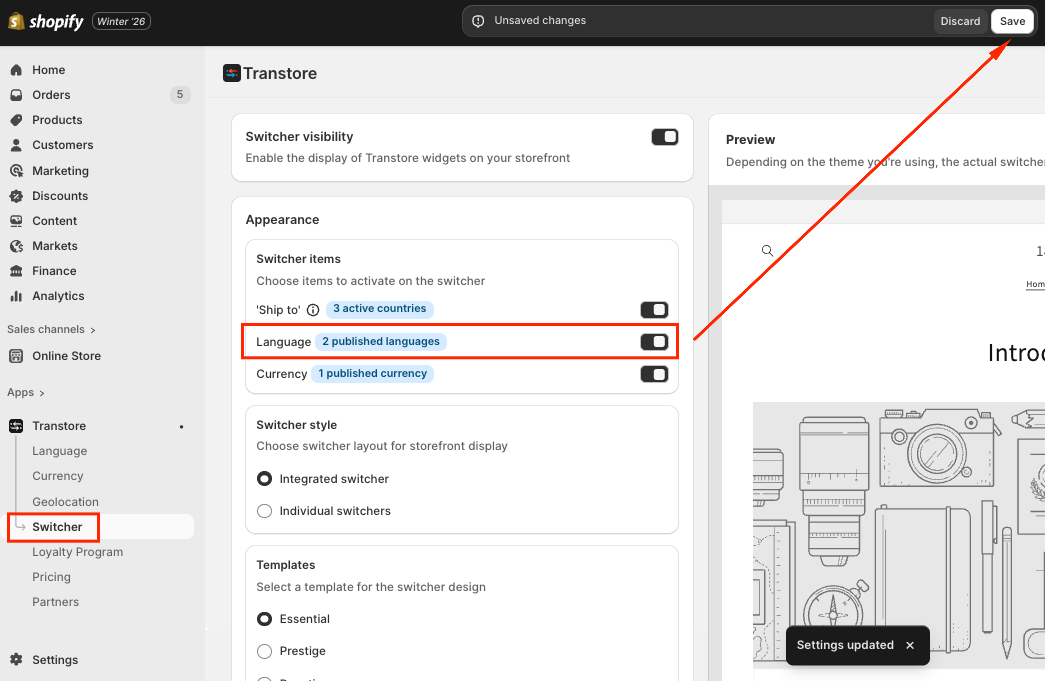
- Go to Switcher section in Transtore
- In Appearance -> Toggle Language ON and Save.
III. Final Check
- Make sure the Transtore app is enabled in your theme editor.
- Refresh your store or clear your browser cache to re-check
Once these steps are completed, the language should appear on your switcher.
If you need further guidance or have any questions, don't hesitate to reach out to our support team via email at [email protected]. We'd be happy to help!