How to Grant Collaborator Access
If you contact Transtore Support about an issue, we may ask for temporary collaborator access to your Shopify store so we can investigate. You stay in control of access, and you never need to share your Shopify password.
Step 1: Find your Collaborator code
- In your Shopify admin, go to Settings > Users.
- If your store is part of an organization, click Users. Otherwise, click Users & permissions.
- Click Security.
- In the Collaborators section, find your 4-digit Collaborator code and copy it.
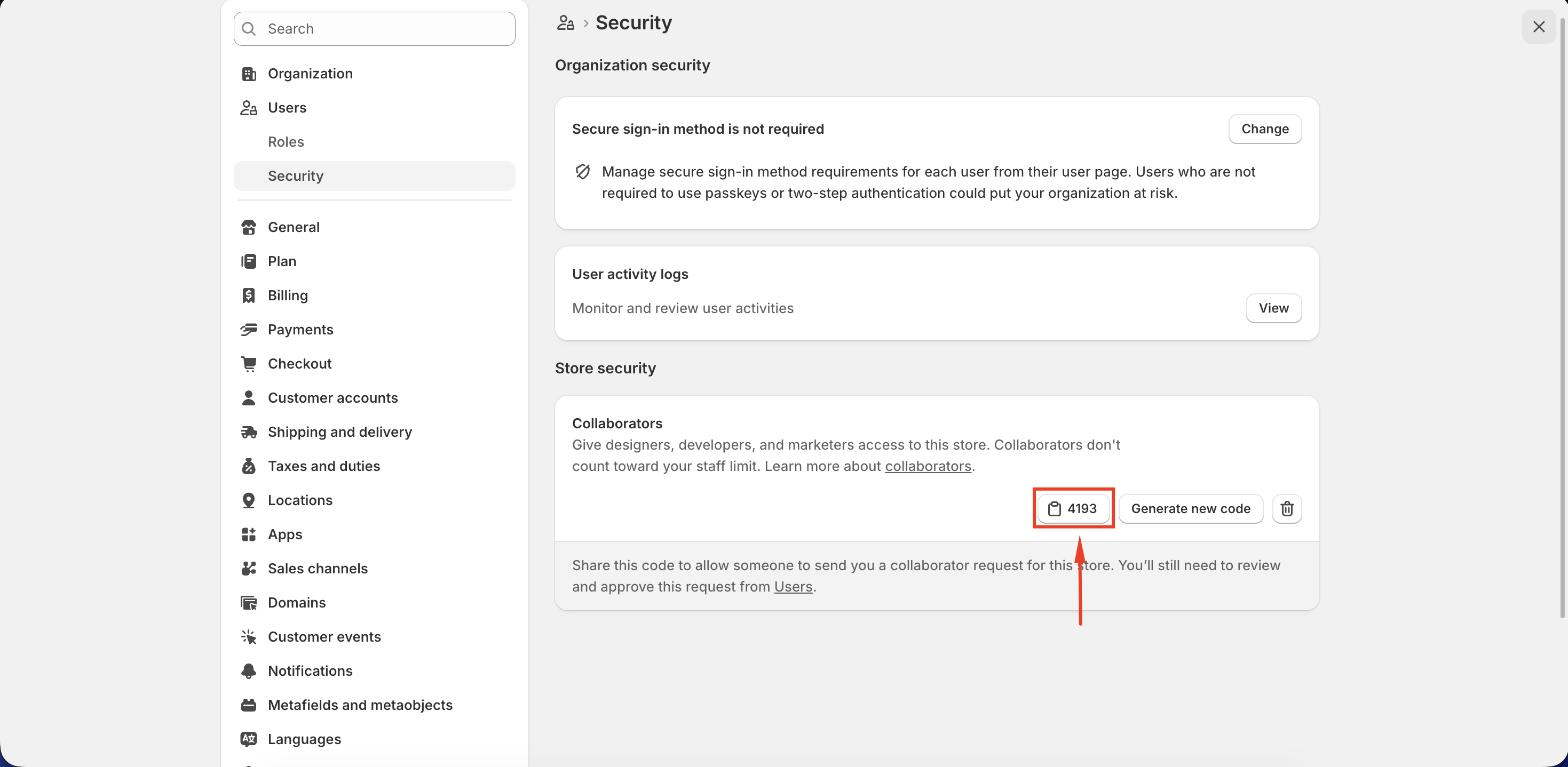
For more details, see Shopify’s guide to collaborator codes.
Step 2: Send us your store details
Reply to your support conversation with your Shopify store URL or .myshopify.com domain and your Collaborator code. We’ll use these details to send a collaborator request to your store.
Step 3: Review permissions and accept our request
Shopify will notify you when the request is ready for review.
- In your Shopify admin, go to Settings > Users.
- Click Requests and open the request from Transtore Support.
- In the Roles section, review the requested permissions. You can adjust the permissions before accepting the request.
- Click Accept request.
If Transtore Support needs additional permissions
If you’ve already accepted the request but we can’t access a setting needed to investigate your issue, you can update the permissions assigned to our collaborator account:
- In your Shopify admin, go to Settings > Users.
- Click Roles.
- Open the role assigned to the Transtore collaborator.
- Add the permissions requested by our support team, then click Save.
You may need to be the store owner or have the required user-management permissions to make this change. If you can’t edit the role, ask your store owner or administrator for help.
For more information, see Shopify’s guides to collaborator accounts and managing roles.
Manage access
You can review or remove our access from your Shopify admin at any time. Collaborator accounts do not count toward your Shopify staff account limit.
If you have trouble finding your code, reviewing permissions, or accepting the request, email us at [email protected].