Why can't I preview my store when setting switcher in Transtore?
When customizing the Switcher in Transtore, you may notice that the Preview section appears blank instead of showing your storefront. This is a common situation and is easy to resolve.
Why does the Switcher Preview show blank content?
This usually happens because your store is protected by a password.
When password protection is enabled, Transtore cannot load your storefront content into the Preview section. As a result, the preview appears empty - even though your Switcher settings are being saved correctly.
Important: A blank preview does not mean the Switcher is broken or not working.
How can I see my store in the Preview?
You have two options:
Option 1: Temporarily disable password protection
- Go to Shopify Admin → Navigate to Online Store → Preferences
- Disable Password protection and Save
- Return to Transtore and refresh the Preview
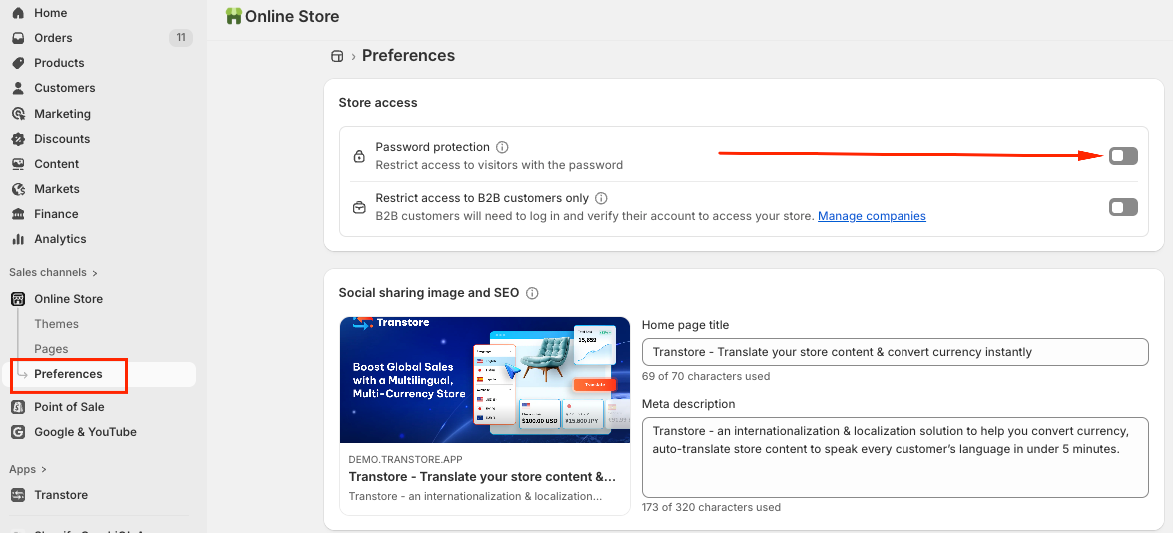
Option 2: Enter your store password in the Preview
You can simply enter the store password in the Preview section and submit to preview:
How can I verify the Switcher is working correctly?
After saving your settings, you can also verify how the Switcher appears on the storefront using these preview options:
- Preview based on your current location and currency
- Preview by selecting a specific country/region
- Preview by using a specific IP address
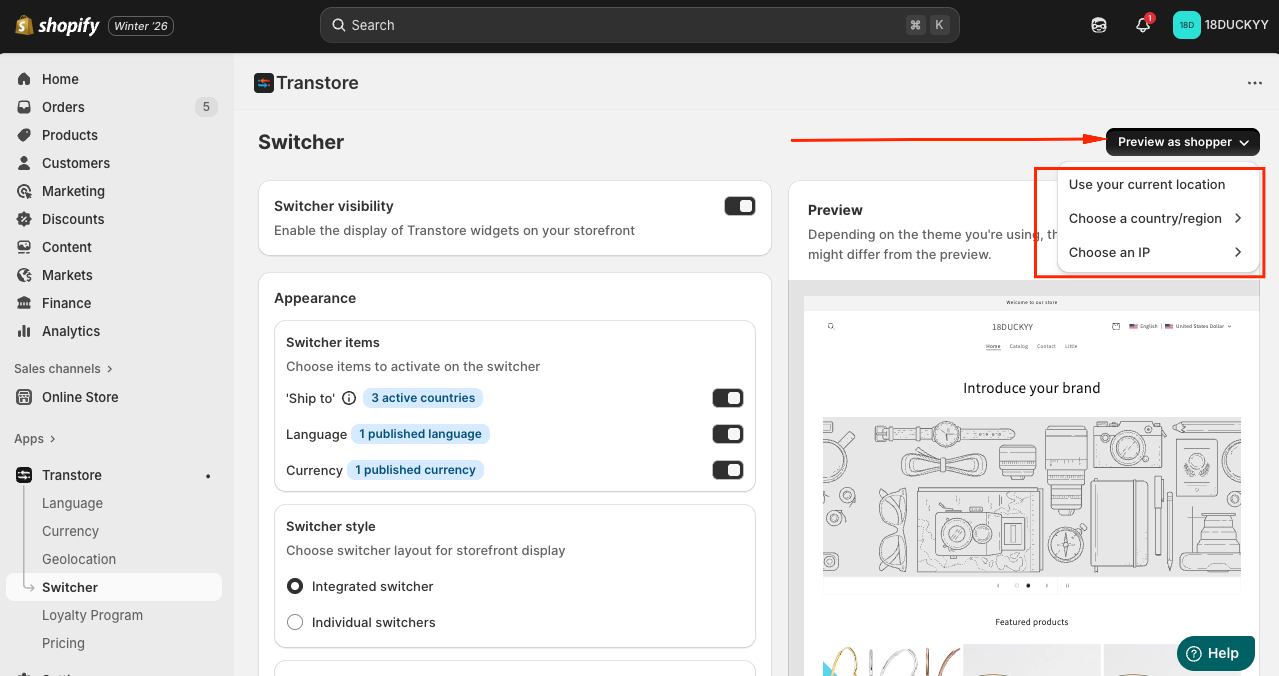
These options help you ensure the Switcher displays correctly for different customer locations.
Note
- You can preview the Switcher in the app only after it is activated.
- The Preview supports both desktop and mobile views inside the app.
If you need further guidance or have any questions, don't hesitate to reach out to our support team via email at [email protected]. We'd be happy to help!