How to change the display order of the languages and currencies in the Switcher?
In certain situations, you may need to change the display order of the languages and currencies in the Switcher to boost the most popular ones.
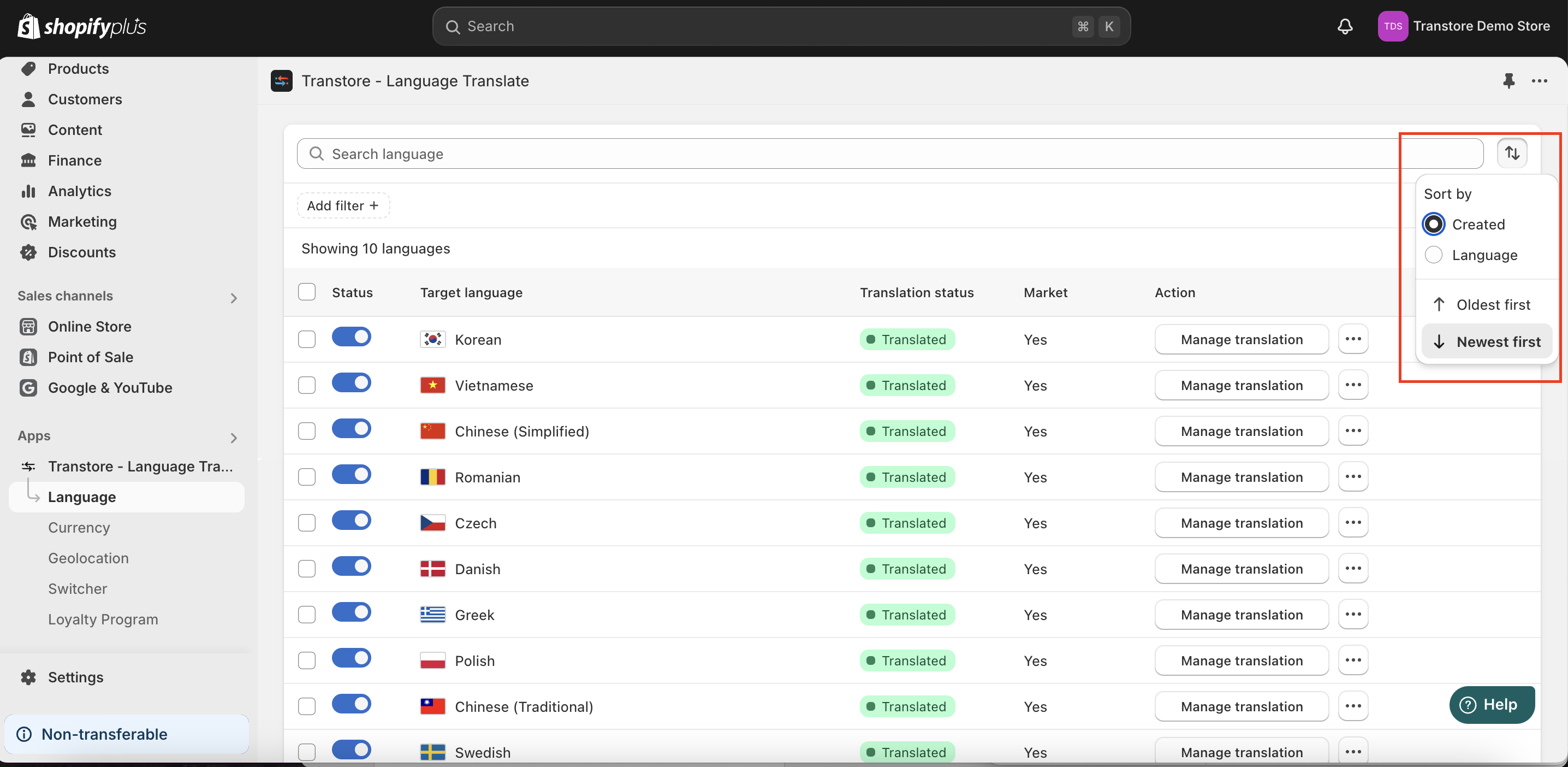
Basically, our switcher displays the languages/currencies based on the order in the app setting. You can go to the Language or Currency tab in the menu to decide which kind of sorting you want to display (which are creation date or alphabetically).
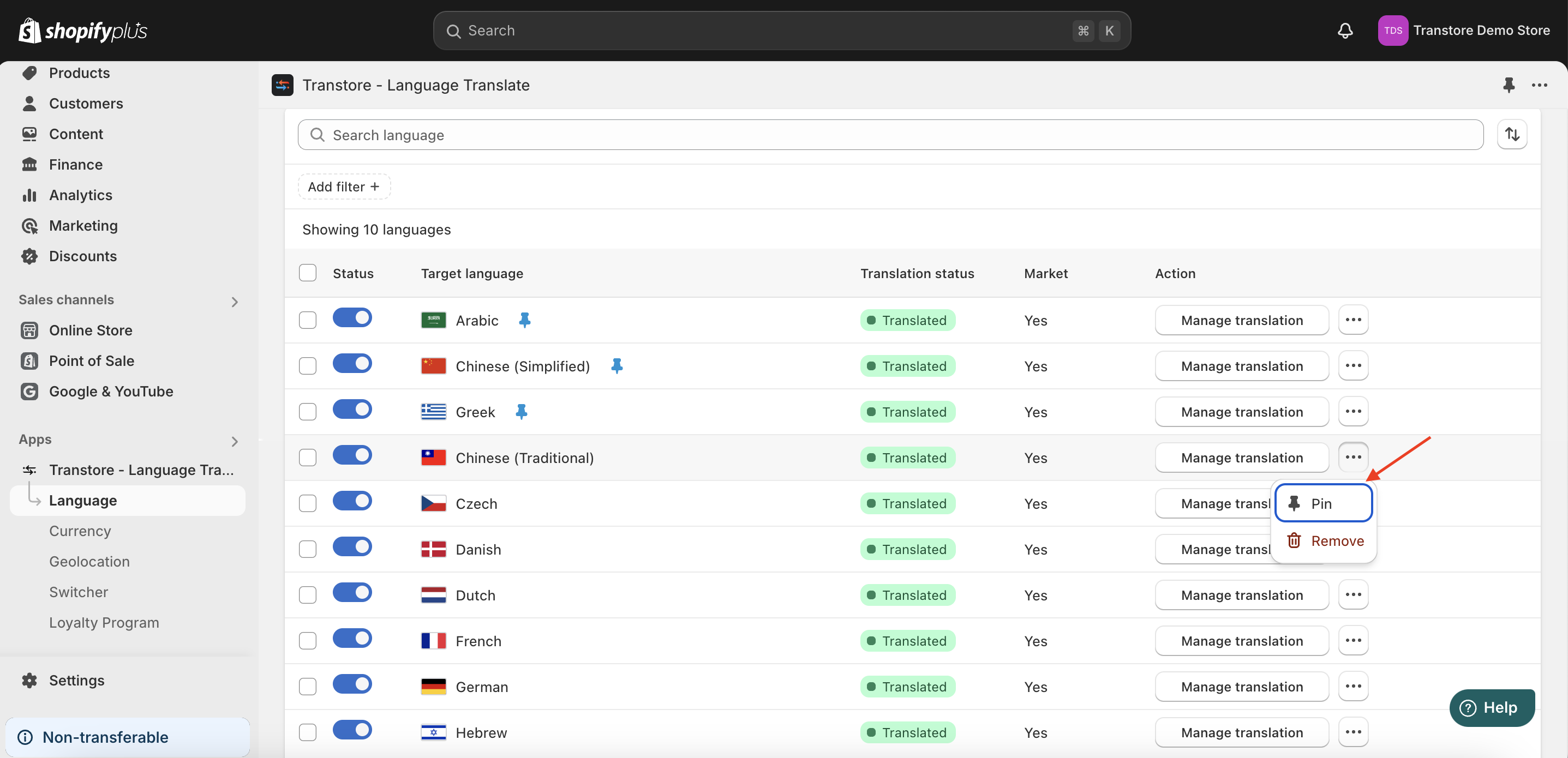
Besides, you can choose to pin/unpin certain languages/currencies to boost them to the top option on the switcher.
Should you need any further assistance, please feel free to contact us at [email protected]