New Feature Release: Replace Images for Multiple Languages
We're excited to introduce a powerful new feature that makes your multilingual store even more engaging and localized: Replace Image for Multiple Languages.
Until now, translations were limited to text-based content such as product titles, descriptions, and SEO fields. With this update, you can now go one step further - by customizing images per language to better fit cultural preferences, regional trends, or language-specific promotions.
Why this matters
- Cultural Relevance: Show images that resonate with local audiences. For example, swap product packaging photos to display labels in the customer's language.
- Localized Promotions: Use different banners or campaign images for different languages without affecting your global store setup.
- Improved UX: Avoid confusion by matching product visuals with translated product information.
How it works
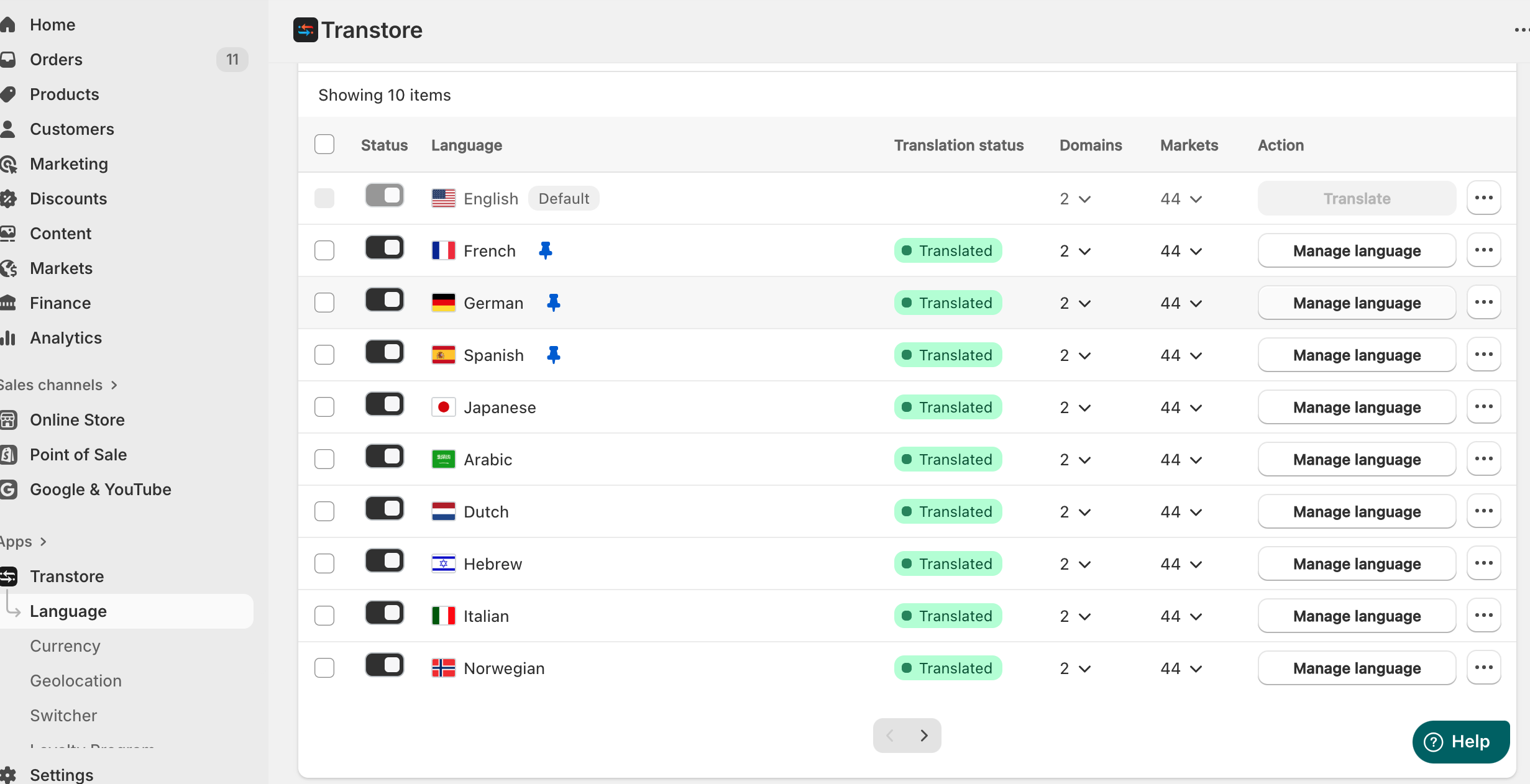
- Go to Language panel and select the target language (e.g., French) - Manage language - Images
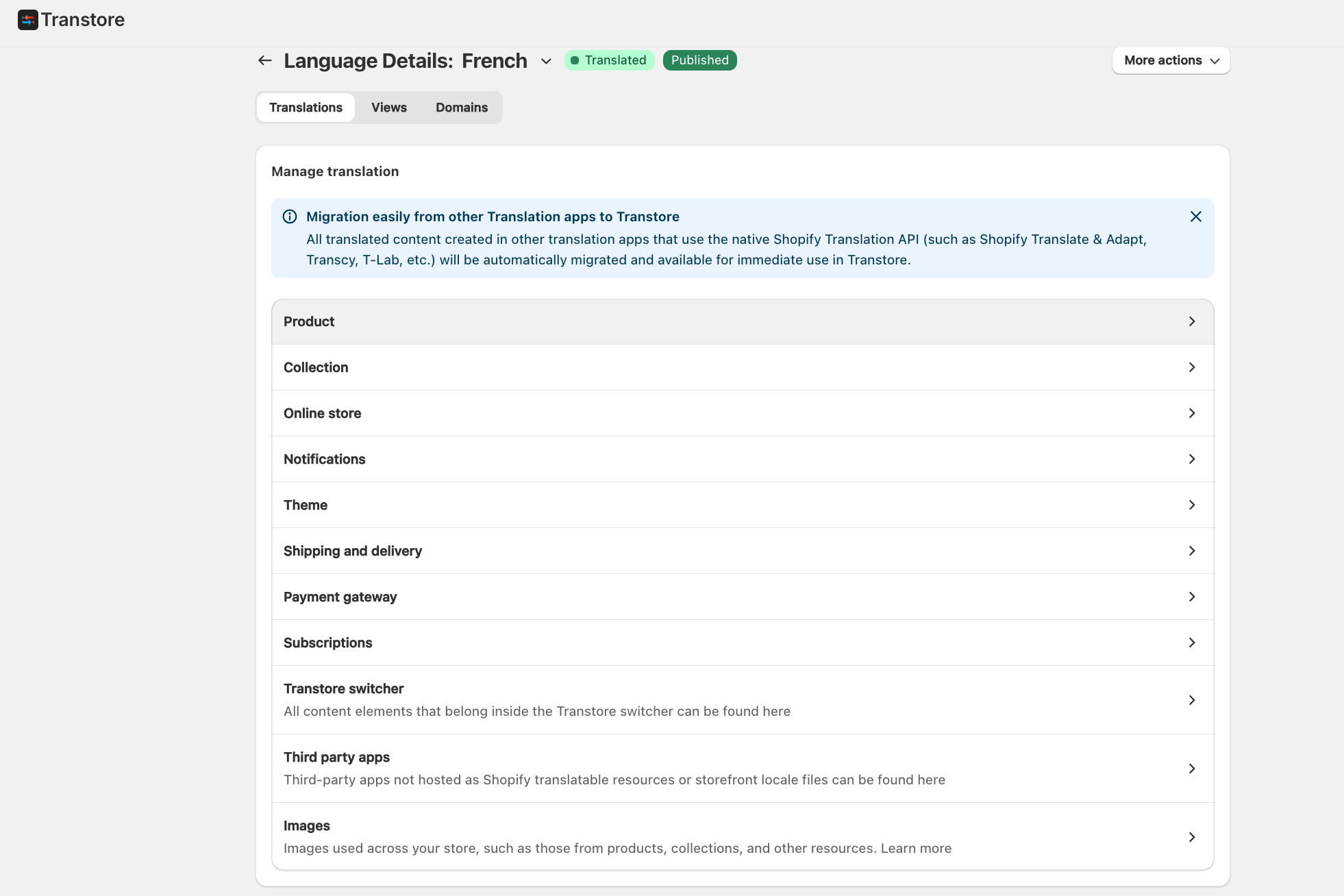
- Under the Images tab, click Replace image to upload a language-specific version of your product photo, or keep the original if no replacement is needed.
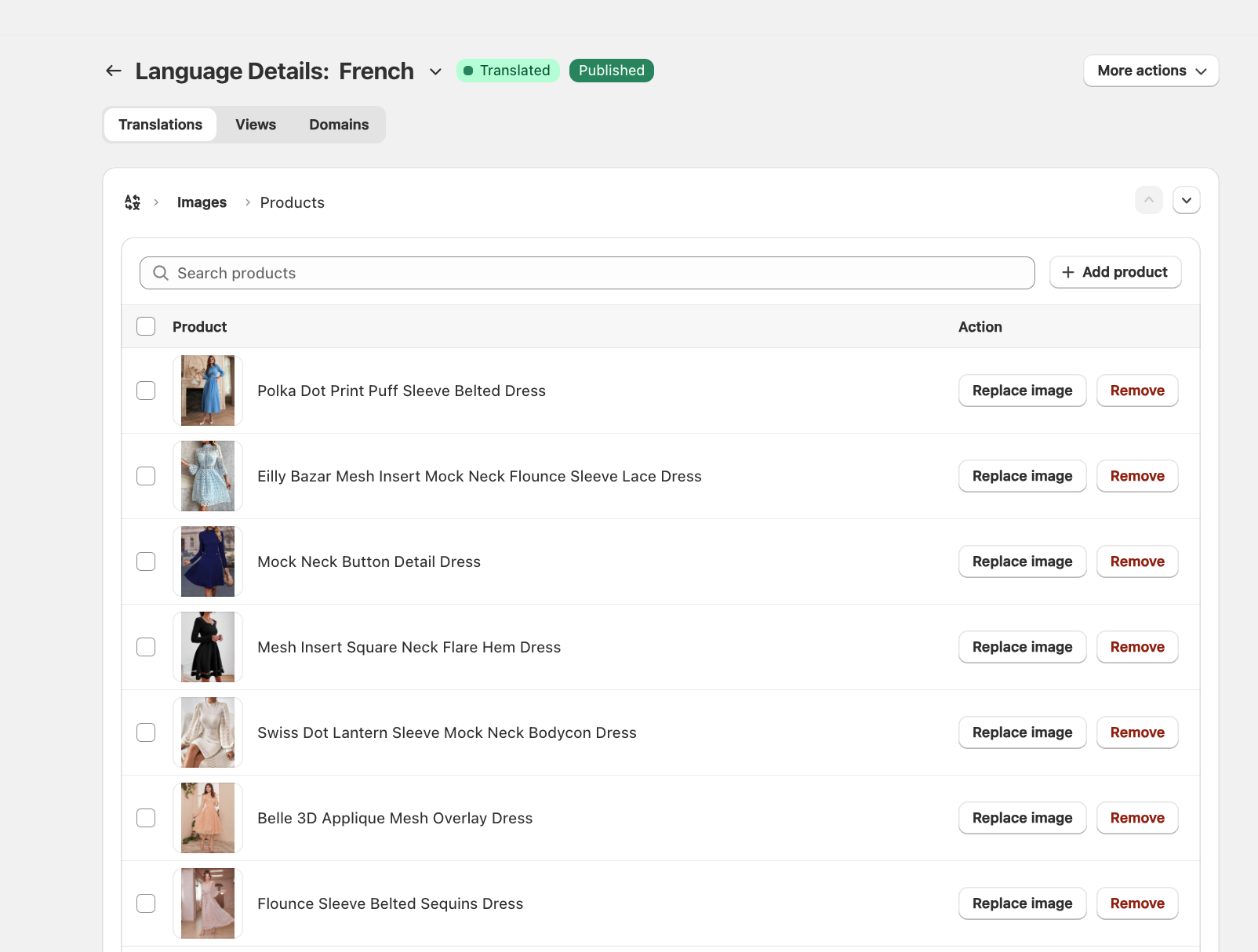
- You'll now see your product media library side by side:
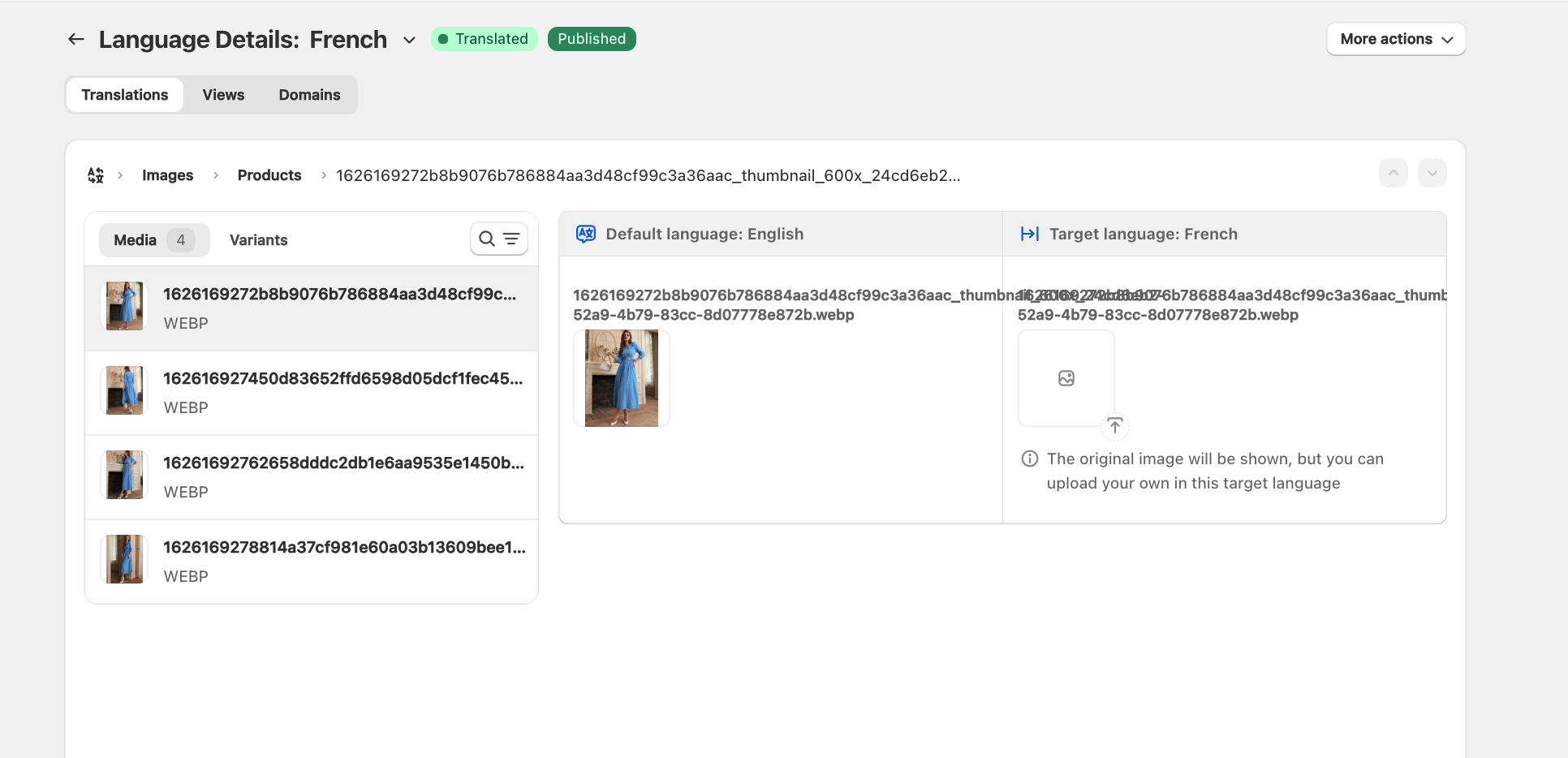
- Save and publish - your customers will now see the correct localized image when browsing in their chosen language.
Should you encounter any difficulties during the setup process, please don't hesitate to reach out to us at [email protected].