Does Transtore Translate Orders and Email Notifications?
Transtore supports translating order and email notifications that are generated directly by Shopify. This helps you deliver a localized post-purchase experience to customers in different languages.
How to Translate Shopify Notifications with Transtore
You can manually edit translations for Shopify notifications directly in the app by follow these steps:
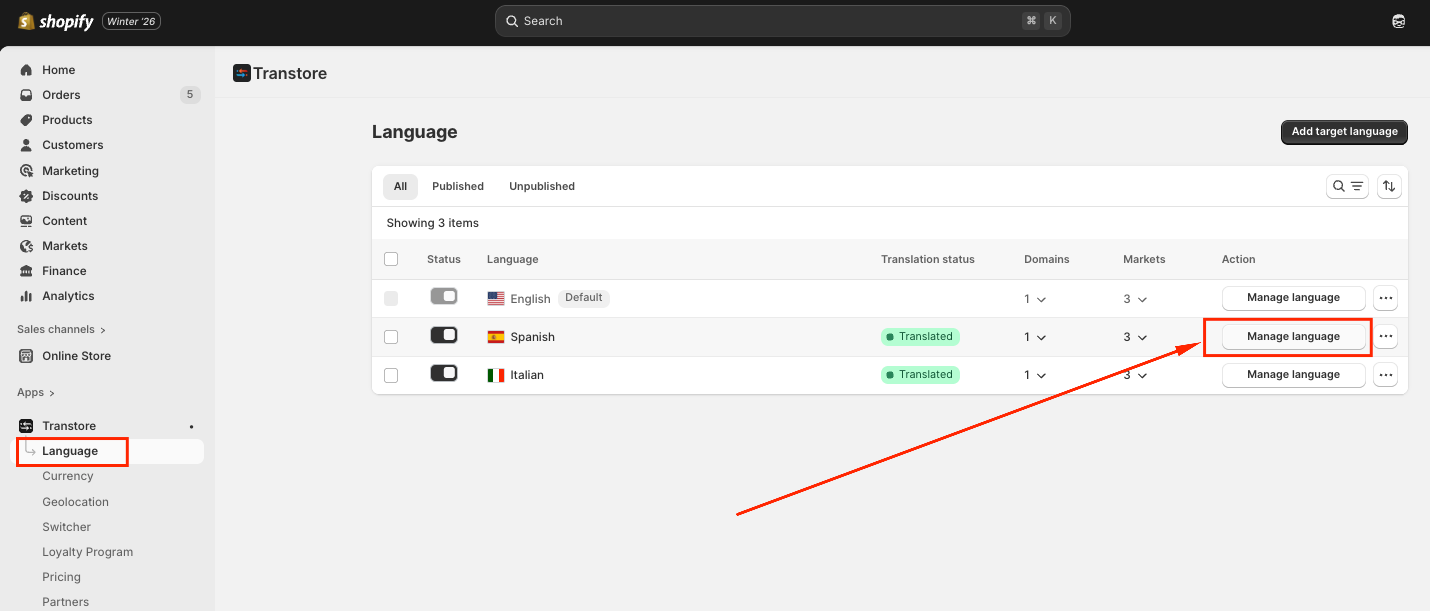
Step 1: Open the Language section -> Manage Translation
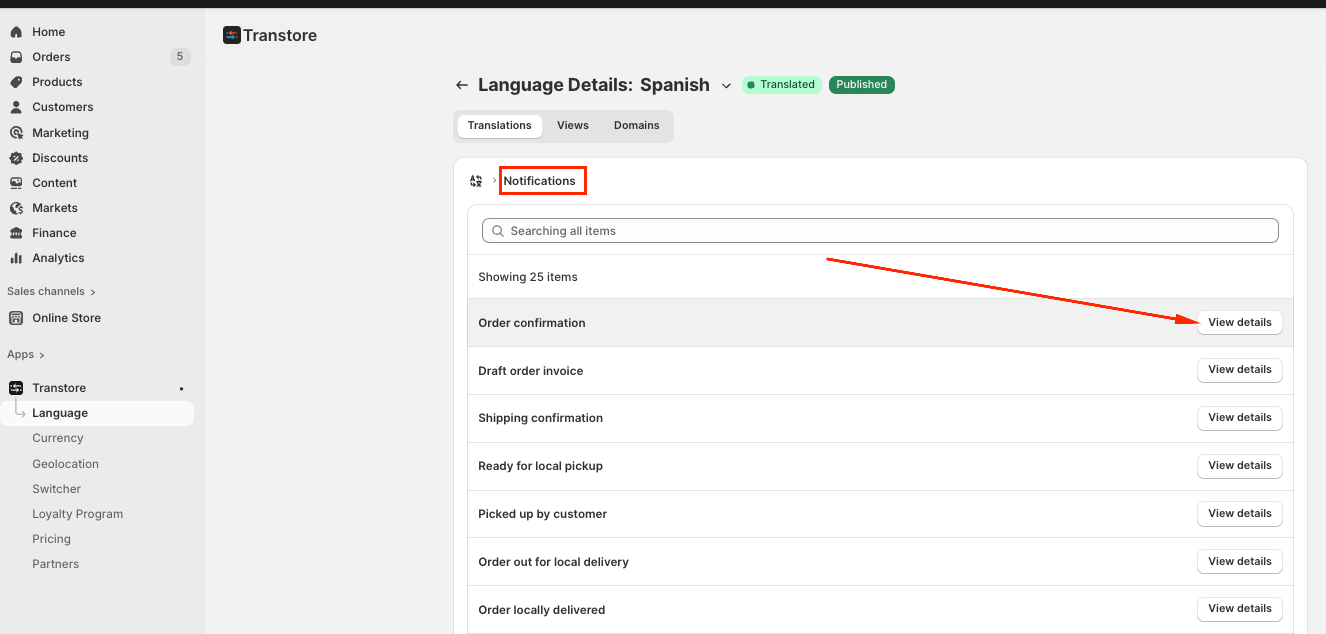
Step 2: Navigate to Notifications -> Click View details to the notification you want to translate:
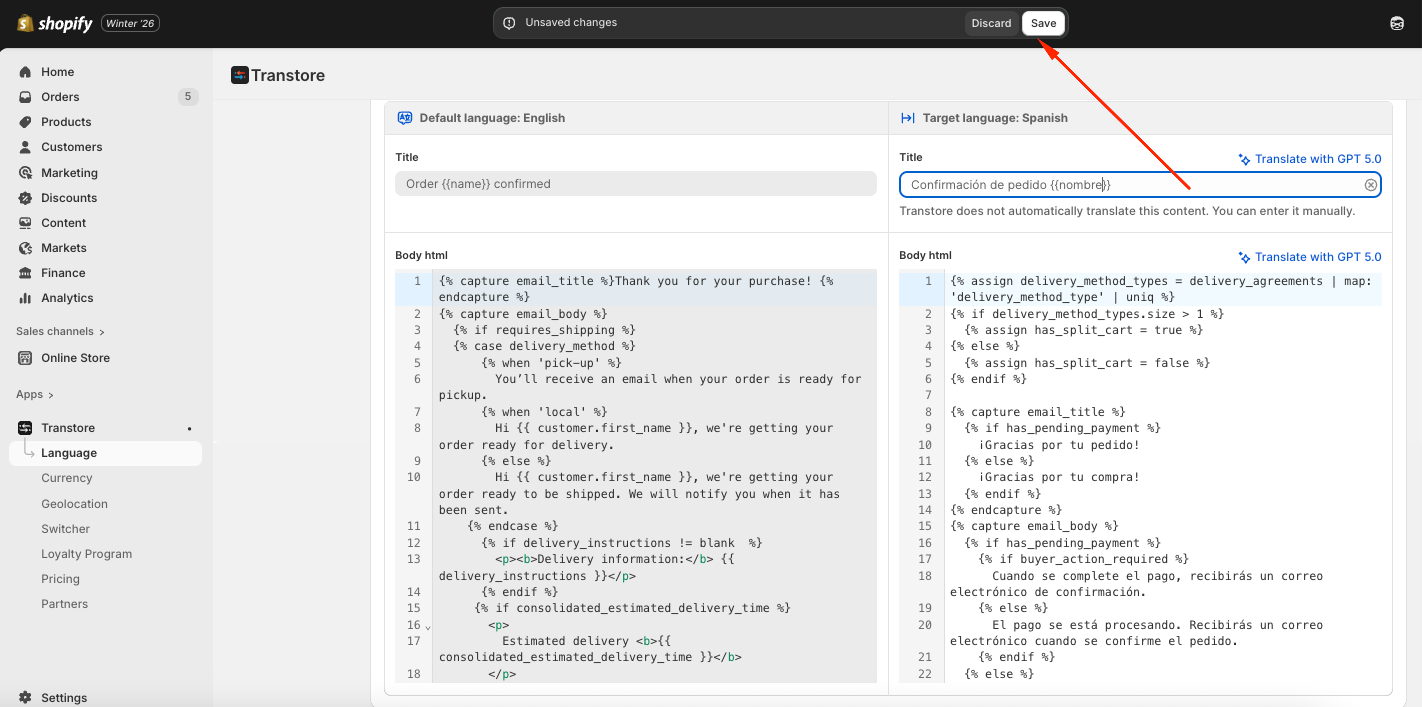
Step 3: Edit the translation and Save
Note:
- Transtore only supports editing the translated text. When translating notifications, you must keep Shopify’s original notification template structure intact. Do not adjust the code inside the template in Transtore.
- Any changes to the email layout, structure, or design (such as fonts, spacing, or HTML) should be made directly in your Shopify Admin.
- Notifications that are created by third-party apps won't be translated in Transtore, as their content is managed outside of Shopify’s native notification system.
If you need further guidance or have any questions, don't hesitate to reach out to our support team via email at [email protected]. We'd be happy to help!